
Table of Contents
Inside an In-House Supplement Label Workflow: 40+ SKUs
A 40+ SKU supplement label operation runs on one digital press by treating jobs as sequenced, grouped runs — not 40 separate problems.
Key Takeaways
- Treat 40+ SKUs as variations on a small number of repeatable patterns — group by substrate, finishing profile, and complexity rather than scheduling each SKU as a custom job.
- Because digital label presses use no printing plates, most SKU-to-SKU changeovers are dominated by file and verification steps rather than tooling — same-substrate changeovers can move quickly, while a roll swap or finishing change takes longer.
- GMP documentation — lot codes, batch numbers, first-article verification, and run-level records — gets built into the print run when variable data is pulled from the same system that authorized the batch.
- A printed web still needs lamination, die-cutting, slitting, and rewinding to the correct wind direction and core diameter before it becomes a production-ready roll for the bottling line.
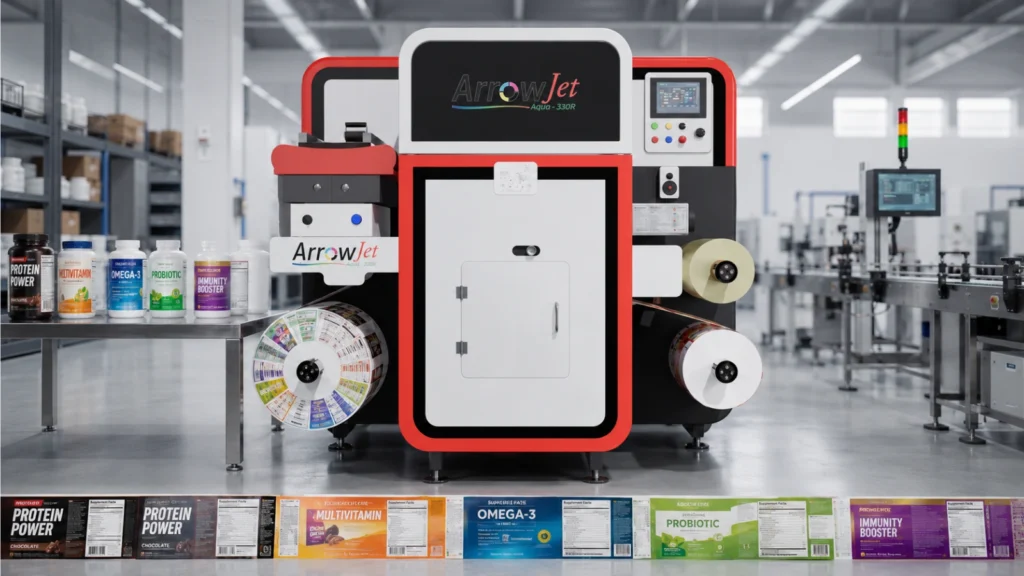
- The ArrowJet Aqua 330R handles the queue-driven, variable-data production day this workflow describes; Arrow’s EZCut and ArrowCut Nova finishing systems complete the path from printed web to finished roll.
Why Managing 40+ Supplement SKUs on One Press Sounds Harder Than It Is
High-mix, low-volume supplement label runs aren’t a capacity problem — they’re a scheduling and workflow problem, and both are solvable with a sequenced queue.
The instinct is to treat 40+ SKUs as 40+ separate problems. In practice, a well-run supplement label production process treats them as variations on a small number of repeatable patterns. Most supplement labels share a common substrate family, similar dimensions, and predictable finishing needs.
What changes between SKUs is largely data — the supplement facts panel, product name, flavor, dosage, barcode, and lot and batch information. Digital printing is built for exactly this kind of variation: stop treating each SKU as a custom job and start treating the day as a sequenced list of runs grouped by shared characteristics. The rest of this guide follows a single realistic production day to show how.
In-House Digital vs. Outside Converter: What Actually Changes
Moving supplement label production in-house changes four things most: changeover mechanics, revision speed, documentation flow, and finishing control.
Workflow Factor | Outside Converter (Flexo/Plate-Based) | In-House Digital Press |
SKU changeover | New plates and dies per SKU; tooling-driven setup | No plates — changeover is primarily a file swap and verification print |
Label revision (facts panel, allergen, dosage) | New plate order; lead time measured in weeks | Revised file goes into the queue directly; no plate dependency |
Lot code / batch number data | Often applied as a secondary step outside the base print run | Populated at the file level from the same data that authorized the batch |
Minimum order quantity | Typically required to amortize plate cost | Run the exact quantity needed for that day’s schedule |
Finishing control | Scheduled separately, often at a different vendor | Finishing plan lives in the same queue as the print run |
Treat this table as a directional comparison, not a universal rule. Actual converter terms, minimums, and turnaround vary by vendor — validate against your current supplier’s quoted terms before building a business case.
Setting Up the Print Queue and Scheduling Runs by SKU
The production day doesn’t start at the press — it starts with a supplement label print queue sequenced to minimize disruption, not just a list of jobs.
A strong queue is deliberately ordered. The scheduling logic usually follows a few simple rules:
Group by substrate
Runs that share the same material and roll width are batched together so the operator isn’t swapping stock unnecessarily between jobs.
Group by finishing profile
SKUs needing the same lamination or die pattern flow back-to-back, so the finishing setup carries across multiple runs instead of resetting each time.
Order by color and complexity
Lighter, simpler jobs typically run before heavy-ink or specialty jobs to reduce cleanup between them.
Anchor time-sensitive lots
SKUs tied to a same-day fill or bottling run are scheduled to feed that line on time, ahead of lower-priority jobs.
This is where operations automation earns its place. When the press queue is fed directly from production schedules or ERP-triggered runs, the correct artwork version, quantity, and variable data — including lot code and batch number fields — populate automatically. That reduces manual keying, one of the most common sources of error in high-mix environments. Arrow’s guide to automating label production covers this integration path in more depth. By the time an operator arrives, the shift’s queue is set: a sequenced list of runs, each with an approved file, a defined quantity, and a finishing plan.
The Changeover Process: How Long It Actually Takes
Because digital label presses use no printing plates, most SKU-to-SKU changeovers are dominated by file and verification steps rather than tooling.
Changeover fear is what stops many operations leaders from moving label production in-house. On traditional platemaking, a supplement label changeover can mean new plates, new dies, and long setup. On a digital press, the equation is different. Here’s what a typical changeover sequence looks like:
- Confirm the next job in the queue and verify the correct artwork version is loaded.
- Check substrate continuity — if the next SKU uses the same material, no roll swap is needed.
- Load the correct variable data set, including the current lot code and batch number for that run.
- Run a short verification print to confirm color, panel legibility, and barcode scanability.
- Complete the first-article check and log approval before full run authorization.
When SKUs are grouped intelligently in the queue, many changeovers involve no material swap at all — just a file change and a verification print. Teams often find that same-substrate changeovers move quickly, while changeovers requiring a roll swap or finishing adjustment take longer. Actual times vary by equipment, staffing, and job complexity, so treat any single number as an illustrative estimate rather than a promise. With a sequenced queue, changeover time stops being unpredictable.
GMP Documentation: Batch Numbers, Lot Codes, and QC Checks During Production
GMP label production means batch numbers, lot codes, and quality checks are captured accurately and stay audit-ready — built into the run, not bolted on afterward.
The following describes how in-house digital printing can support documentation workflow — it is not compliance advice. GMP conformance depends on your full quality system, SOPs, and validated processes; consult your quality team and applicable 21 CFR requirements for your specific operation.
For supplement manufacturers, the label isn’t just marketing — it’s part of the traceability chain. The concern many operations leaders raise is that in-house printing will bury the team in extra paperwork. Done well, the opposite happens.
Variable data at the file level
Lot and batch fields are populated per run — ideally pulled from the same system that authorized the batch — so the printed label matches the production record.
First-article verification
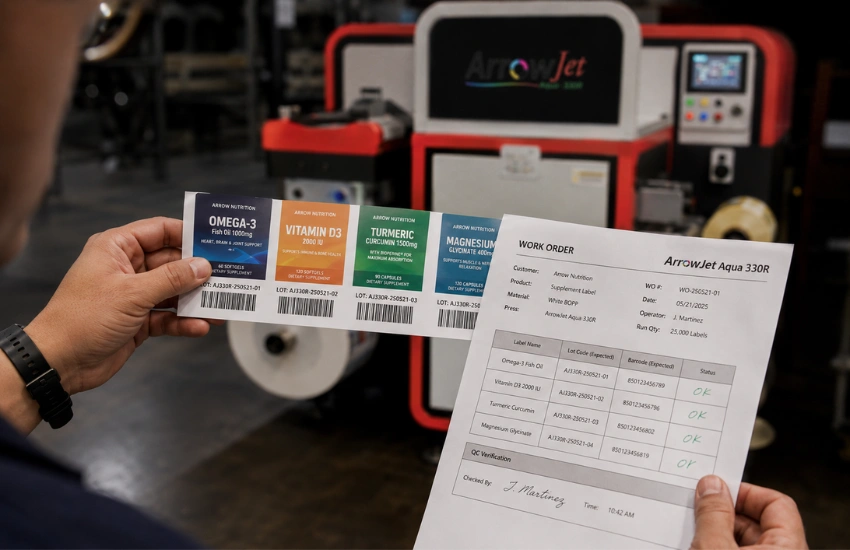
Before a full run, an operator confirms the panel, the barcode, and the lot and batch data against the work order and records approval.
In-process checks
Periodic checks during the run confirm print quality and data accuracy hold across the roll.
Run-level records
Quantity produced, SKU, version, lot, and operator sign-off are captured for each job.
Because the same data drives both the printed label and the production record, the gap where transcription errors typically creep in gets reduced. That said, GMP compliance depends on your full quality system, your SOPs, and how consistently your team executes them — not on any single piece of equipment. Treat in-house printing as a tool that supports audit-ready documentation, not a guarantee of it. For a deeper walkthrough of documentation requirements, see Arrow’s guide to GMP label printing under 21 CFR Part 111.
Finishing and Rewinding: From Printed Web to Production-Ready Roll
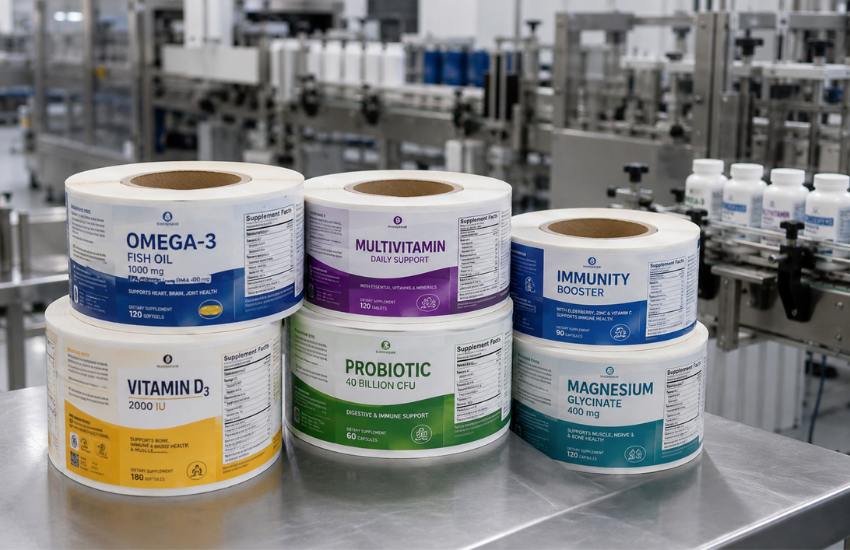
A printed web isn’t a usable label yet — it has to be laminated, die-cut, slit, and rewound to the correct orientation and core before it can feed a bottling line.
In an on-demand supplement printing process, finishing typically includes some combination of the following:
Lamination
Applied for durability and chemical resistance appropriate to bottle handling and storage conditions.
Die-cutting
Cuts the printed web to the correct label shape and size for the container.
Slitting
Separates individual label lanes when multiple labels print across the web width.
Rewinding
Winds finished rolls to the specified wind direction and core diameter required by the applicator.
Finished label roll rewinding is more operationally important than it looks. If the wind direction or core size doesn’t match the applicator, the roll won’t run — no matter how well it printed. That’s why the finishing plan lives in the queue from the start.
Arrow’s label finishing systems cover both paths a supplement operation is likely to need. The Arrow EZCut 330R+ is a flatbed and roll-to-roll hybrid blade die cutter with cold lamination available inline — suited to consistent, repeatable label shapes across the core SKU list. The ArrowCut Nova 250R is a CO₂ laser finisher that cuts without physical dies, which is useful for short-run or limited-batch SKUs where a blade die’s tooling cost is harder to justify. Both integrate into a queue-driven workflow so the finishing plan travels with the print job rather than being scheduled as a separate step.
How the ArrowJet Aqua 330R Handles This Workflow in Practice
The ArrowJet Aqua 330R is a roll-to-roll digital label press built for the high-mix, low-volume production day this guide describes.
The ArrowJet Aqua 330R, from Arrow Systems — an industrial digital label press manufacturer — uses Memjet’s DuraFlex® print engine with water-based aqueous pigment inks at up to 1600 × 1600 dpi resolution, across a 12.75″ (324mm) maximum print width. In workflow terms, a few characteristics matter most for supplement operations:
Water-based inkjet printing
Aqueous pigment inks suited to common supplement label substrates and on-demand runs, printing at up to 150 ft/min (45.7 m/min) depending on resolution setting.
Variable data handling
Panels, flavors, barcodes, and lot and batch fields change between runs without plates or dies, since every job prints from an approved digital file.
Queue-driven operation
Fits a sequenced, batch-scheduled day and supports operations automation when connected to production planning tools.
Roll-to-roll output
Feeds downstream finishing directly, so printed webs become production-ready rolls without an intermediate handling step.
The goal isn’t to add a machine to the floor — it’s to make supplement SKU management in production predictable. Arrow’s full range of digital label printers is built around this same queue-first, data-driven production model.
Map Your Own Production Day: A Practical Framework
Group SKUs, connect your data, build documentation into the run, and define finishing specs up front — in that order — before standardizing across your full SKU list.
Step 1: Group SKUs by substrate and finishing profile
List every active SKU and cluster by shared material, roll width, and finishing needs. This mapping is what turns most changeovers into a file swap rather than a tooling job.
Step 2: Feed the queue from pr+oduction schedules or ERP
Connecting the press queue to your production planning system lets artwork version, quantity, and lot and batch data populate automatically, cutting manual keying and the errors that come with it. A manual queue with disciplined version control also works — many teams start there and add integration as SKU count grows.
Step 3: Build documentation into the run, not after it
First-article verification, in-process checks, and run-level records should be part of the standard job sequence — not a separate paperwork pass completed after the roll is finished.
Step 4: Define wind direction and core diameter before the run starts
Every job in the queue should carry a defined finishing output spec, so the roll that comes off lamination, die-cutting, and rewinding loads straight onto your applicator without a second pass.
If you’re weighing whether an in-house digital label setup is realistic for your operation, the useful next step isn’t a demo — it’s a plan built around your mix. Arrow Systems offers a structured workflow assessment that maps your SKU count, changeover patterns, GMP documentation needs, and finishing requirements against an in-house setup such as the ArrowJet Aqua 330R.
Frequently Asked Questions — In-House Supplement Label Workflow
Common questions from supplement production, operations, and quality teams evaluating an in-house digital label workflow for 40+ SKUs.
- It depends heavily on whether the next job shares the same substrate and finishing profile. Same-substrate changeovers can move quickly because they’re primarily a file swap and a verification print, while runs requiring a roll change or finishing adjustment take longer. Any specific time is an illustrative estimate — the reliable way to shorten changeovers is to group similar SKUs in the print queue so most transitions require minimal physical setup.
No, but it helps. You can run a queue manually with disciplined file and version control. Connecting your press to production planning or ERP tools adds operations automation — pulling correct artwork versions, quantities, and lot and batch data automatically — which reduces manual keying and the errors that come with it. Many teams start manual and add integration as their volume and SKU count grow.
In-house digital printing lets you drive the printed lot code and batch number from the same data that authorized the batch, and capture first-article approval, in-process checks, and run-level records as part of the workflow rather than as separate paperwork. This supports traceability, but audit readiness ultimately depends on your quality system and SOPs. Your quality team should validate and own the process; the equipment supports it rather than replacing it.
The Aqua 330R is Arrow’s roll-to-roll press built for high-mix, variable-data label production at up to 150 ft/min. Brands entering in-house production for the first time, or running a lighter SKU load, may find a smaller-footprint press a better starting point — request a workflow assessment to map your specific SKU count and volume against the right configuration.
Get a Workflow Assessment for Your Supplement Operation
Use these operational takeaways as you plan: group SKUs by substrate and finishing profile, feed the queue from production schedules or ERP, build documentation into the run rather than after it, and define wind direction and core diameter before the run starts.
Arrow Systems offers a structured workflow assessment that maps your SKU count, changeover patterns, GMP documentation needs, and finishing requirements against an in-house setup — so you can see exactly how a 40+ SKU day would run before you commit.
Cannabis Label Versioning Workflow for Multi-State Brands
Table of Contents Cannabis Label Versioning Workflow for Multi-State Brands A cannabis label versioning workflow produces state-specific labels from one master template by moving state-variable
Water-Based vs UV-Cured Label Adhesive: Food & Pharma Guide
Table of Contents Water-Based vs UV-Cured Label Adhesive: Food & Pharma Guide Water-based adhesives suit dry, ambient containers; UV-cured hot melts suit cold, wet, curved
Is Your Confectionery Brand Ready to Bring Flexible Packaging In-House?
Table of Contents Is Your Confectionery Brand Ready to Bring Flexible Packaging In-House? In-house flexible packaging pays off for confectionery brands with many SKUs, short
Label Slitting and Matrix Removal: Where Converters Lose Finishing Time
Table of Contents Label Slitting and Matrix Removal: Where Converters Lose Finishing Time Label slitting and matrix removal, plus rewinding, cost converters more finishing time
Limited Edition Spirits Label Printing: 4 Holiday Delay Fixes
Table of Contents Limited Edition Spirits Label Printing: 4 Holiday Delay Fixes Limited edition spirits label printing runs late because of the calendar, not the
Section 179 Label Printer Timing: Install Before December 31
Table of Contents Section 179 Label Printer Timing: Install Before December 31 A section 179 label printer purchase counts for 2026 only if the press