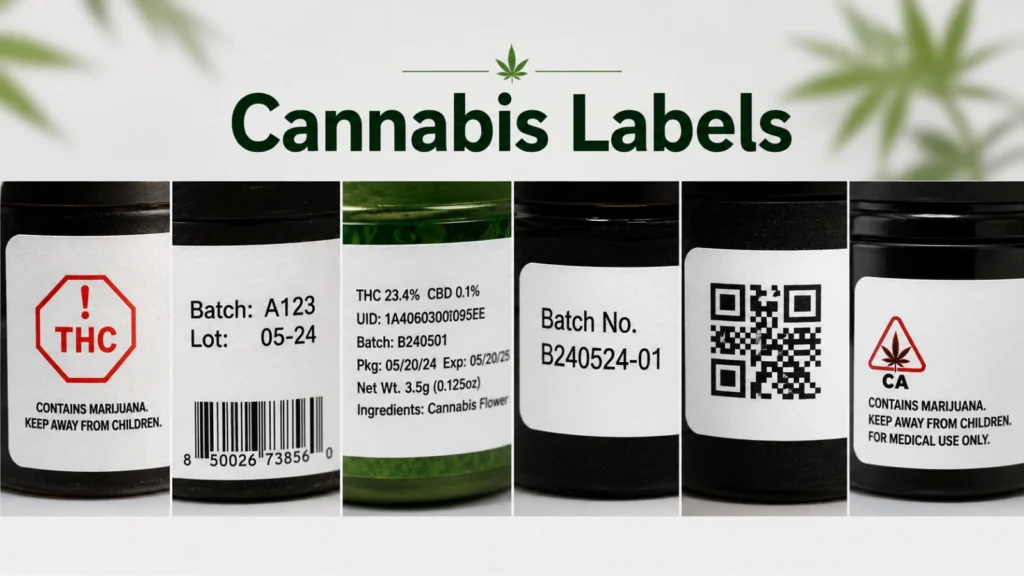
Why Cannabis Labels Fail Compliance Inspection: Print & Format Errors
Table of Contents Why Cannabis Labels Fail Compliance Inspection: Print & Format Errors Cannabis labels often fail inspection with every required line of text present
Cannabis labels often fail inspection with every required line of text present — the failure is in print execution, not content.
Compliance review checks content; inspection checks reproduction — and a label can pass the first and still fail the second.
Most guidance on cannabis labels focuses on what has to appear on them — potency percentages, warnings, license numbers, and government test data. But a cannabis label compliance failure rarely happens because a required line of text is missing. More often, the content is entirely correct, yet the label still gets flagged, held, or rejected at state inspection.
Compliance review usually happens in two mental buckets. The first is content: is every required element present and worded correctly? The second — the one that catches teams off guard — is reproduction: is every element legible, correctly placed, and scannable on the actual printed label? Regulators in many states inspect the finished, applied label under real conditions. If the warning text is smaller than allowed, if the universal symbol is too faint to read, or if the barcode will not scan, the label fails regardless of how accurate the wording is.
Because cannabis labeling rules vary significantly by state and change frequently, there is no universal standard for font size, symbol dimensions, or contrast. Always verify requirements against your own state’s current regulations before every run. The failure patterns below, however, tend to show up everywhere.
Font size / contrast failure
Regulated text (warnings, potency, child-safety language) renders below the state’s minimum size or against insufficient background contrast once printed, even when the design file is measured correctly on screen.
Universal symbol failure
The required THC or cannabis universal symbol prints too small, in the wrong location, or with internal detail that fills in or washes out at final size.
Barcode / QR code failure
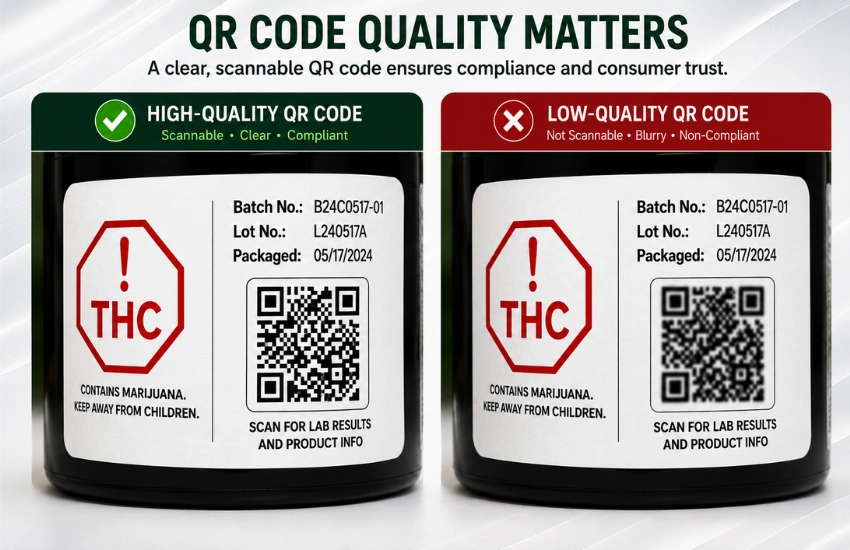
A track-and-trace barcode or COA-linked QR code looks visually present but does not scan due to low resolution, upscaling, insufficient quiet zone, or a reflective substrate.
Variable data failure
Batch codes, potency values, dates, or COA links on the label do not match the physical batch inside the container — often because a template was reused or data was keyed in manually.
Text that measures correctly on screen can render undersized or low-contrast on the printed, die-cut label — and that gap is what inspectors catch.
The requirement. Many states set minimum font sizes for specific elements — especially warnings, potency statements, and the “keep out of reach of children” language. Some also require sufficient contrast between text and background so the copy is clearly legible.
Why it fails in print. Designers frequently build labels to fit a crowded container, and text gets scaled down to make everything fit. A font that measures correctly in the design file can render smaller after die-cutting, bleed trimming, or when printed on a curved or textured substrate. Contrast fails when brand colors place light text on a busy background, or when a color that looks fine on a backlit monitor prints muddy on matte or metallic stock.
How to prevent it.
The universal THC symbol fails inspection when it is undersized, misplaced, or loses internal detail — not when it is simply missing.
The requirement. Most states that regulate THC products require a universal symbol indicating the product contains cannabis or THC. Universal symbol cannabis label rules commonly specify a minimum size, a location on the label, and reproduction standards so the symbol stays recognizable.
Why it fails in print. The symbol is often treated as an afterthought and dropped into whatever white space remains. It can end up too small, placed on a panel a regulator considers non-compliant, or reproduced in a single color when the state expects specific colors or contrast. Fine detail inside the symbol can also fill in or wash out at small print sizes, making it fail reproduction requirements even when it is technically present.
How to prevent it.
A code that looks crisp on a screen can still fail a physical scan — and inspectors and downstream partners scan the code directly.
The requirement. Cannabis labels commonly carry barcodes for track-and-trace, plus QR codes linking to a certificate of analysis (COA) or other required data. Getting cannabis label barcode QR code reproduction right means the code must be scannable and verifiable — not just visually present.
Why it fails in print. A code that looks crisp on a screen can fail scanning when the source file is low-resolution, when it is scaled up beyond its native size, or when print gain causes bars or modules to bleed together. Small quiet-zone margins, low contrast between the code and its background, and glossy or reflective substrates all cause scan failures. Inspectors and downstream partners scan the code directly; if it does not read reliably, the label is rejected.
How to prevent it.
“Correct” labels quietly go wrong when the data was accurate for a different batch, not the one it ships on.
The requirement. Labels commonly must carry batch or lot codes, potency and test results, packaging or expiration dates, and a link to the matching COA. The critical rule is consistency: the data on the label must correspond to the specific product inside the container. This is the core discipline of variable data label printing — different labels in the same run carry different, accurate, per-batch information rather than one fixed design. It’s sometimes called variable data labels or variable information labels depending on the print vendor, but the compliance requirement is the same either way.
Why it fails in print. Variable fields drift. A template is reused from a prior run and the old batch code slips through. Potency values from one lab report get applied to product from a different batch. A QR code points to a COA that belongs to another lot, or to a link that no longer resolves. A COA link cannabis label error like this often passes a visual content review — the fields look complete — but fails the moment an inspector cross-references the label against the actual batch record or scans the code.
How to prevent it.
A rejected cannabis label is rarely a simple reprint — it can trigger a product hold, forced relabeling, or product destruction.
A rejected label is rarely a simple reprint. Every avoidable cannabis label rejection traces back to one of the same handful of print execution errors, and it can trigger a product hold that freezes finished inventory, force full relabeling under supervision, or — in the worst case — require destruction of non-compliant product.
The downstream costs stack up: labor to remove and reapply labels, lost throughput while inventory sits on hold, expedited reprint charges, and the compliance overhead of documenting the correction. When teams rely on outside converters, a single rule change or updated test result can stall revisions for days, extending the exposure window across every affected SKU.
Actual financial impact varies widely by product value, volume, and state requirements — teams often find that avoided holds and relabeling justify tighter print control faster than they expect.
In-house digital label printing puts control at the point of print — the same point where most compliance failures originate.
The through-line across every failure mode above is control at the point of print. In-house cannabis label printing gives operators that control by combining short, batch-specific runs with variable label printing and inline verification, instead of routing every revision through an outside converter.
Here is how in-house digital printing addresses each failure mode:
Failure mode | Outside-converter exposure | In-house digital control |
Font size / contrast | Fixed artwork; proofing tied to converter cycles | Locked type minimums; proof on the real substrate before each run |
Universal symbol | Applied inconsistently across SKUs | Protected template element with fixed size and position |
Barcode / QR quality | Scan issues surface at inspection | Inline scan verification before the run ships |
Variable data drift | Manual re-keying; batch mismatches | Per-batch data pulled from a single source of record |
Rule changes | New plate order and converter lead time | File change, printed on demand |
None of this guarantees compliance — that always depends on meeting your state’s current rules — but it removes the most common execution errors that turn accurate content into a rejected label.
ArrowJet Aqua 330R — high-resolution, variable-data label printing
The ArrowJet Aqua 330R is a water-based pigment inkjet digital label printer that prints at up to 1600 × 1600 dpi across three speed tiers (90/150/195 ft/min), with a maximum media width of 380 mm. That resolution supports crisp reproduction of small regulated text, universal-symbol detail, and scannable barcodes at print time — which is where most of the failure modes above originate. Because it prints on demand, batch codes, potency values, and COA links can be pulled per job rather than set on a fixed plate.
ArrowJet Eco 330R — entry-level industrial press for lower-volume runs
The ArrowJet Eco 330R is a compact, single-pass industrial press that prints up to 324 mm wide at 1600 × 1600 dpi on single-phase power, without requiring an air compressor. It gives smaller cannabis operations the same barcode- and text-detail resolution as a larger press, in a footprint suited to lower-volume, batch-specific label runs.
ArrowJet UV 330H — opaque white and varnish for film and foil packaging
For cannabis labels applied to clear, metallic, or dark film and foil packaging, the ArrowJet UV 330H supports CMYK plus white and varnish configurations, giving regulated text and universal symbols the opaque background and protective finish they need to stay legible and reproduce correctly on non-paper substrates.
Arrow Systems manufactures digital label printing hardware. Arrow does not provide state cannabis compliance advisory services — validate all labeling requirements with your state regulatory agency and legal counsel before every run.
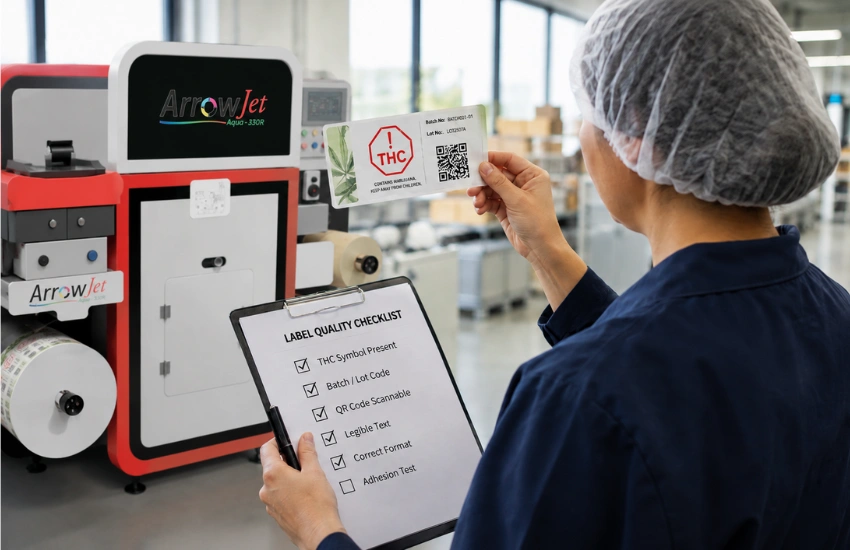
Run every check below on a printed proof from the actual substrate — never on a screen.
Common questions from packaging, compliance, and operations leads who own cannabis label print output and answer for state inspection results.
Yes. Content review confirms required elements are present and worded correctly. Inspection also evaluates reproduction — whether text is large and legible enough, whether the universal symbol prints correctly, whether codes actually scan, and whether variable data matches the batch. A label can be perfectly written and still fail on any of those execution points.
There is no single universal number, and requirements are best defined as “scannable and verifiable” rather than a fixed DPI. In practice, generate codes as vector or high-resolution art at native size, preserve quiet zones, maintain strong contrast, and confirm with an actual scan verification on the printed label rather than trusting on-screen appearance.
Treat your state’s current regulations as the source of truth and verify them before each run, since rules change frequently. Lock minimum type sizes for regulated fields in your template, and validate both size and contrast on a printed proof from the real substrate. Re-verify whenever a SKU, container size, or state rule changes.
It gives you per-batch control. Variable data can be pulled per batch so codes, potency, and COA links stay matched to the product; revisions become file changes instead of long converter cycles; and inline verification catches unreadable codes before shipping. It reduces common execution errors, though final compliance still depends on meeting your state’s rules.
Print quality, format, and placement failures are an operations problem best solved with repeatable control: proof regulated text and contrast on the real substrate before every run, lock the universal symbol as a protected template element, run inline scan verification, and pull variable data per batch from a single source of record.
Arrow Systems manufactures in-house digital label printing hardware — including the ArrowJet Aqua 330R, ArrowJet Eco 330R, and ArrowJet UV 330H — and can help you evaluate where format and print-quality risk lives in your current workflow. Request a structured assessment tailored to your product mix, substrates, and state requirements, focused on preventing rejections, holds, and destruction, not on selling you equipment you do not need.

Table of Contents Why Cannabis Labels Fail Compliance Inspection: Print & Format Errors Cannabis labels often fail inspection with every required line of text present

Table of Contents Label Printer vs. Sticker Printer vs. Desktop Printer: How to Choose Choosing the right label printing equipment depends on six factors: what

Table of Contents Digital Label Printing vs. Flexo: Where the Cost Breaks Even Digital label printing vs flexo comes down to one number: the run

Table of Contents BOPP Labels: Material Properties, Finish Options & When to Use Them BOPP (biaxially oriented polypropylene) is a moisture-resistant, durable film substrate used

Table of Contents Pet Food Pouch Delamination: Substrate, Ink & Seal Fixes Pet food pouch delamination traces to one of three sources: substrate-ink incompatibility, heat-seal

Table of Contents Packaging and Labels as Advertising: How Great Label Design Wins at the Shelf Labels reach buyers at the exact moment of choice