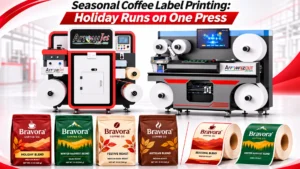
Seasonal Coffee Label Printing: Holiday Runs on One Press
Table of Contents Seasonal Coffee Label Printing: Holiday Runs on One Press Seasonal coffee label printing works best when every Q4 label runs on one
Seasonal coffee label printing works best when every Q4 label runs on one in-house press, printed weekly to match the roast schedule.
If you run production, packaging, or operations at a specialty roaster and are weighing whether to bring coffee labels in-house, November is the real test. Core blends need restocking, a holiday blend launches, limited single origin lots arrive, gift sets need lids and sleeves, and subscription and wholesale volume climb at the same time.
A roaster seasonal label workflow that holds up under that load has four parts:
Q4 multiplies short coffee SKUs, and outsourced label minimums rarely match capped green lots or one-season gift formats.
Limited lots
A single origin holiday release may come from one green lot, so its total bag count is capped before roasting starts.
Gift formats
Gift box lids, inserts, and belly bands are separate label pieces from the bag front, so each gift set adds several printed parts.
Subscription extras
Holiday subscription boxes often add tasting cards or seasonal inserts that change with each shipment.
Wholesale variants
Cafés and grocers may need label versions without retail pricing or sized for 2 lb and 5 lb bags.
Here is how the numbers can play out for a single holiday lot. Swap in your own roast yields and vendor minimums to see your version.
Input | Example value |
Green coffee purchased for a holiday single origin | 150 lb |
Assumed roast weight loss | 15% to 20%, leaving roughly 120 to 128 lb roasted |
12 oz retail bags from the lot | Roughly 160 to 170 bags |
Hypothetical vendor minimum for the SKU | 1,000 labels |
Labels left unused once the lot sells through | About 830 to 840, or roughly 83% of the order |
That gap is why short run coffee labels printed in-house fit holiday releases better than ordered stock. Coffee label inventory waste usually comes from four sources:
Build one controlled template per bag or box size, with brand elements locked and coffee details placed in swappable variable fields.
Once your template is set up, every holiday variant of your custom coffee labels becomes a data change rather than a new design. Split each template into two layers.
Logo and brand colors
Locked in position and color so seasonal releases never drift from the core brand.
Net weight zone
A reserved area for the net quantity declaration. Verify the required declarations for each market you sell into.
Valve-clearance zone
A no-print, no-label area that keeps the label edge off the bag’s one-way degassing valve.
Fixed regulatory and contact text
Your company name, address, and any standing statements that stay the same between releases.
Blend or origin name
The coffee’s name, swapped per release without touching the layout.
Process
Washed, natural, honey, or other processing method for the lot.
Tasting notes
A fixed-size text field so longer notes never push other elements out of place.
Roast date and lot code
Loaded from the weekly queue so each print run carries the correct roast and lot data.
Holiday artwork panel
A defined window sized for seasonal art, so holiday graphics never shift the brand layout.
Use a consistent file naming convention, such as SKU_Size_Season_Lot_Version (for example, HOLBLEND_12oz_Q4_L03_v2), so every variant stays traceable when lots rotate mid-season.
Build matching templates for 12 oz, 2 lb, and 5 lb bags, then extend the same system to gift box lids and sleeves. Seasonal art then drops into every format without a redesign for each size.
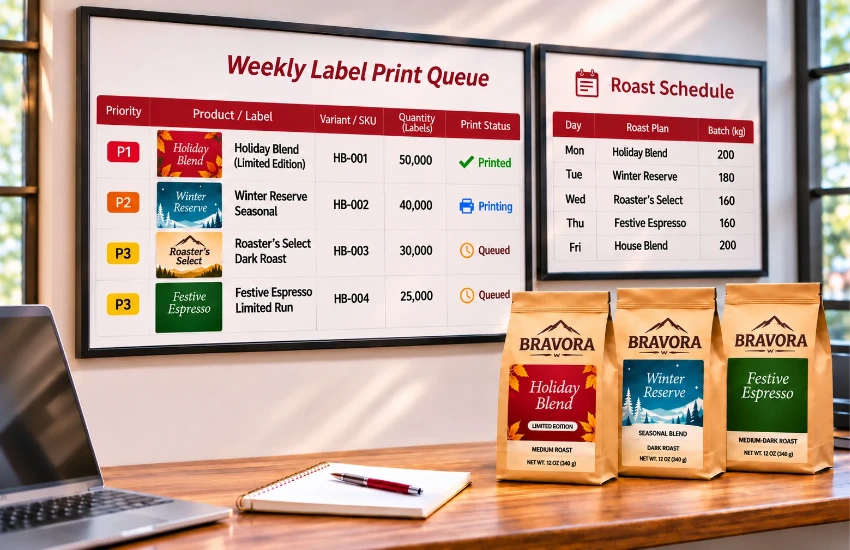
A roaster label print queue that follows the roast and pack schedule prints labels days before bagging, not months ahead.
Your press then runs on the same rhythm as your roaster. A weekly cadence might look like this; shift the days to match your own roast schedule.
Day | Queue focus |
Monday | Core SKU restock for retail and wholesale bags |
Wednesday | Seasonal blends, single origin holiday release labels, and gift set coffee labels |
Friday | Reprint buffer for sell-outs, lot swaps, and next week’s early runs |
Batch by substrate and finish
Group jobs to limit changeovers: run all matte kraft label jobs together, then gloss or foil-compatible stock, then stock destined for sheeted gift pieces.
Connect the queue to order data
Pull quantities from subscription counts, wholesale orders, and the roast plan instead of estimating them. Even a shared spreadsheet that links roast batches to label counts reduces guesswork.
Use roll labels for bags, and sheeted or cut output for coffee gift box labels, inserts, and sleeves assembled by hand.
When you match the output to the packaging, coffee bag labels reach your bagging table ready to apply, and gift pieces reach your assembly station already cut to size. Producing both formats in-house depends on your finishing setup, so plan your label finishers alongside the press.
Packaging type | Typical output | Why |
Retail bags (12 oz) | Roll | Fast hand or applicator use at the bagging station |
Wholesale bags (2 lb, 5 lb) | Roll | Larger labels, repeat volume, simpler variant text |
Gift box lids and inserts | Sheet or cut pieces | Applied by hand during kit assembly |
Sleeves and belly bands | Sheet or cut pieces | Wrap around boxes or bags, often on non-adhesive stock |
Subscription cards | Sheet or cut pieces | Dropped into boxes, not applied |
Textured kraft bags
Kraft fibers can reduce adhesive contact, so labels may lift at the edges. Test adhesive and face stock on your actual bags.
Matte vs. gloss labels
Matte or kraft roll labels usually suit kraft bag aesthetics, while gloss labels often work better on foil-lined or white bags.
Peak-season testing
Run adhesion tests in September, not December. Check adhesion on cold, freshly sealed bags and keep label edges clear of the valve.
For hand-assembled gift sets, cut pieces to the exact lid or band size. When each coffee label sheet cut is planned per kit, with all of a kit’s pieces on one sheet, packers pull one complete set per box.
Treat a reprint as a template swap plus a queue slot, not a reorder, so replacement labels are ready the same day.
Retire sold-out variants deliberately so an old lot’s label never slips back into the queue. Move retired files to an archive folder and mark them retired in the naming log. This keeps outdated origin details off the wrong coffee.
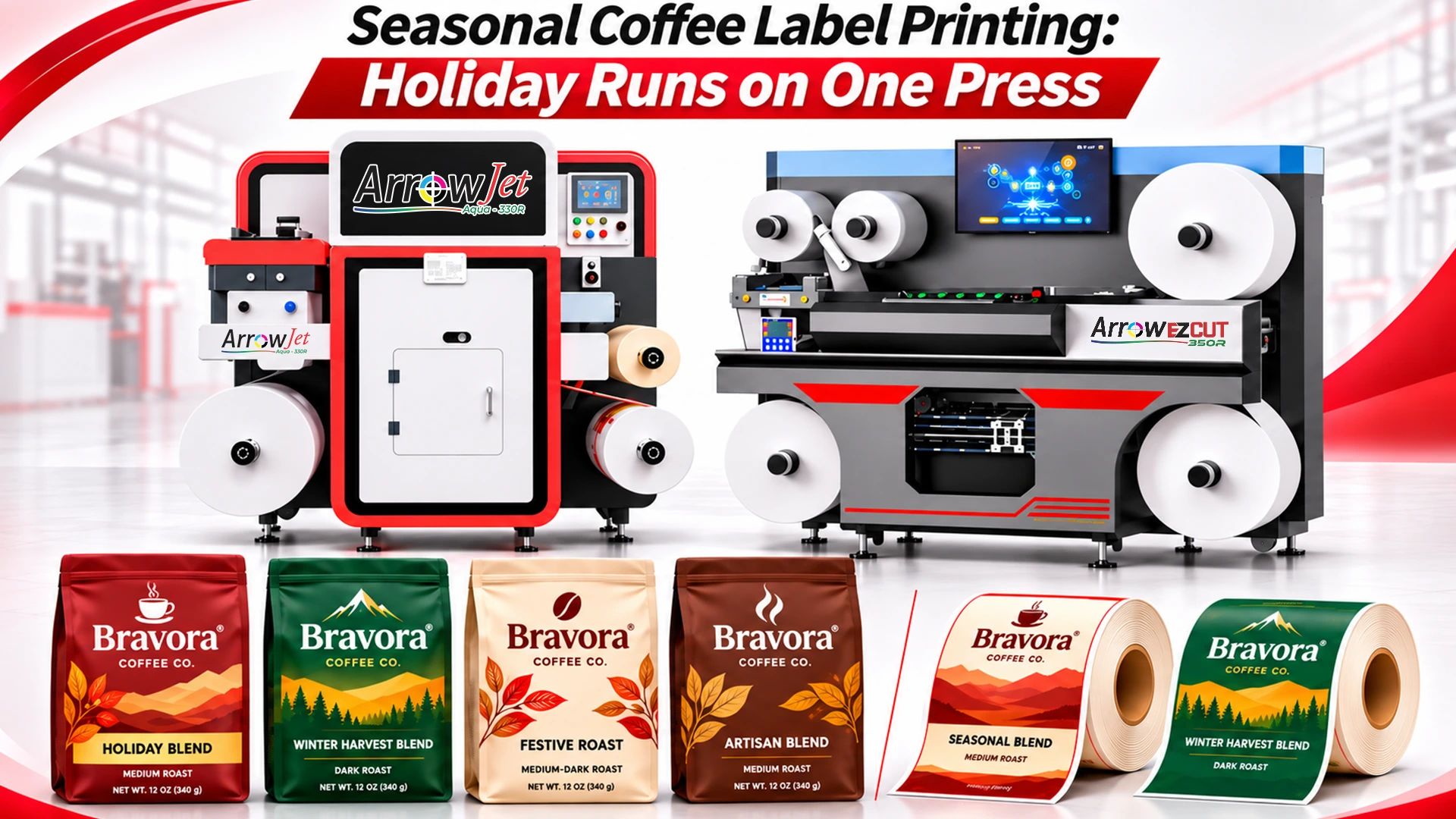
Print your roll labels on an ArrowJet Eco 330R or Aqua 330R, then die-cut, slit, and sheet gift pieces on the EZCut 350R.
If most of your Q4 labels go on bags, start with the press. Both ArrowJet models below are digital label printers that work as an in-house coffee label printer for short core and seasonal runs. They differ mainly in speed and in the power and air supply your roastery needs, so compare them against your peak volume for holiday coffee packaging labels.
Specification | ArrowJet Eco 330R | ArrowJet Aqua 330R |
Print engine | Memjet DuraFlex | Memjet DuraFlex |
Ink | CMYK water-based pigment | CMYK water-based pigment |
Maximum print speed | Up to 20 m/min (about 65 ft/min) | 90, 150, or 195 ft/min |
Maximum print width | 324 mm (12.75 in) | 324 mm (12.75 in) |
Resolution | 1600 × 1600 dpi | Up to 1600 × 1600 dpi |
Drying | IR dryer (optional) | NIR drying option for higher speeds |
Power and air | Single-phase 230V; no air compressor required | Three-phase 220V/400V; 6 bar air supply |
Typical roaster fit | First in-house press with moderate weekly label volume | Higher weekly volume across retail, wholesale, and subscription peaks |
ArrowJet Eco 330R: entry press for roasters bringing labels in-house
The ArrowJet Eco 330R is a compact single-pass digital label press that runs on single-phase 230V power with no air compressor, so you don’t need three-phase power or compressed air to install it in your roastery. It prints at up to 20 m/min with variable data support, which suits roast dates and lot codes that change every run. For a sense of scale, 170 single-across labels at a 100 mm repeat use about 17 m of web, roughly one minute of print time before setup.
ArrowJet Aqua 330R: higher speed for peak-season volume
The ArrowJet Aqua 330R is a high-speed aqueous pigment digital roll to roll label printer with three speed settings of 90, 150, and 195 ft/min and an optional NIR dryer for the higher speeds. It is Nestlé Guidance compliant and is upgradeable to a 10L bulk ink system. Choose it if your combined retail, wholesale, and subscription volume makes December your busiest print month of the year.
Arrow EZCut 350R: die-cutting, slitting, and sheeting for gift pieces
The Arrow EZCut 350R is a multi-blade digital label cutter that produces die cut roll labels, with 4 cutting heads as standard and up to 6, cutting at 9 m/min with 0.1 mm repeat precision. It handles labels up to 330 mm wide and 800 mm long, slits from 10 to 330 mm at up to 100 m/min, and adds cold lamination. A CCD camera reads printed codes to change cutting jobs automatically. It handles inline sheeting, so gift box lids, inserts, and other hand-applied seasonal pieces don’t need separate outside finishing.
What is your peak weekly label count?
Your peak December volume across retail, wholesale, and subscription SKUs decides whether the Eco 330R’s 20 m/min or the Aqua 330R’s speed range fits your queue.
Which face stocks and bag types do you run?
Each bag you use, whether kraft, matte, gloss, or foil-lined, needs a tested face stock and adhesive combination before the holiday season starts.
What is your ratio of bag labels to gift box pieces?
The more lids, inserts, and bands you produce, the more time inline die-cutting and sheeting on the EZCut 350R saves your team.
How much finishing can your team handle in December?
Automatic job changes and inline lamination cut manual handling when your packing and gift assembly staff are already stretched.
You are responsible for confirming net quantity declarations and other packaging label requirements for each market you sell into. Arrow Systems sells label printing and finishing hardware and does not provide regulatory or compliance advice.
Quick answers on cost, bag adhesion, and print timing for roasters printing holiday labels in-house.
It depends on SKU count and how often the lineup changes. Roasters running several holiday blends, limited single origin releases, and gift sets often find that printing short-run labels in-house reduces leftover stock and removes the wait for outside reorders. Compare current minimum-order waste, rush fees, and overlabeling time against equipment and material costs using your own numbers.
They can, when face stock, adhesive, and finish are matched to each bag type. Textured kraft is the most common challenge because its fibers limit adhesive contact, while foil-lined and matte bags behave differently. Test labels on actual bags under realistic handling and storage, and confirm valve clearance before committing to a holiday run.
With an in-house workflow, many roasters print a few days before bagging rather than weeks ahead. Lock seasonal artwork and template structure before October, then print weekly quantities based on the roast plan, subscription counts, and green lot balances. This keeps holiday labels aligned with demand and limits what is left over in January.
If you’re bringing seasonal coffee label printing in-house before peak production, book a press assessment with Arrow Systems.
We’ll review your SKU list, bag and gift box formats, substrates, and peak weekly volume, then recommend a configuration: ArrowJet Eco 330R or ArrowJet Aqua 330R for roll labels, with or without the Arrow EZCut 350R for finishing. You can also request label samples printed on your own bag stock.
Table of Contents Seasonal Coffee Label Printing: Holiday Runs on One Press Seasonal coffee label printing works best when every Q4 label runs on one
Table of Contents Primer and Varnish Stations: Inkjet Label Press Spec Guide Primer and varnish stations prime film before inkjet printing and protect it after,
Table of Contents Batch Coding Technology Comparison: Food Labels & Industrial CIJ suits wet and curved packs, TTO suits film and barcodes, laser suits permanent

Table of Contents Cosmetic Label Color Consistency: Diagnosing Batch Shifts A polyimide label substrate is a high-temperature film construction that stays bonded and scannable through
Table of Contents Polyimide Label Substrate for Aerospace and Industrial Use A polyimide label substrate is a high-temperature film construction that stays bonded and scannable
Table of Contents Entry-Level Label Printer for a Supplement Brand: Readiness Guide A supplement brand is ready for an entry-level label printer when it passes