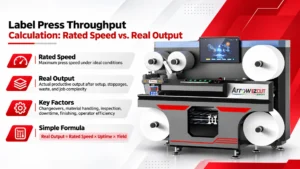
Label Press Throughput Calculation: Rated Speed vs. Real Output
Table of Contents Label Press Throughput Calculation: Rated Speed vs. Real Output A label press throughput calculation turns rated speed into realistic labels per shift,
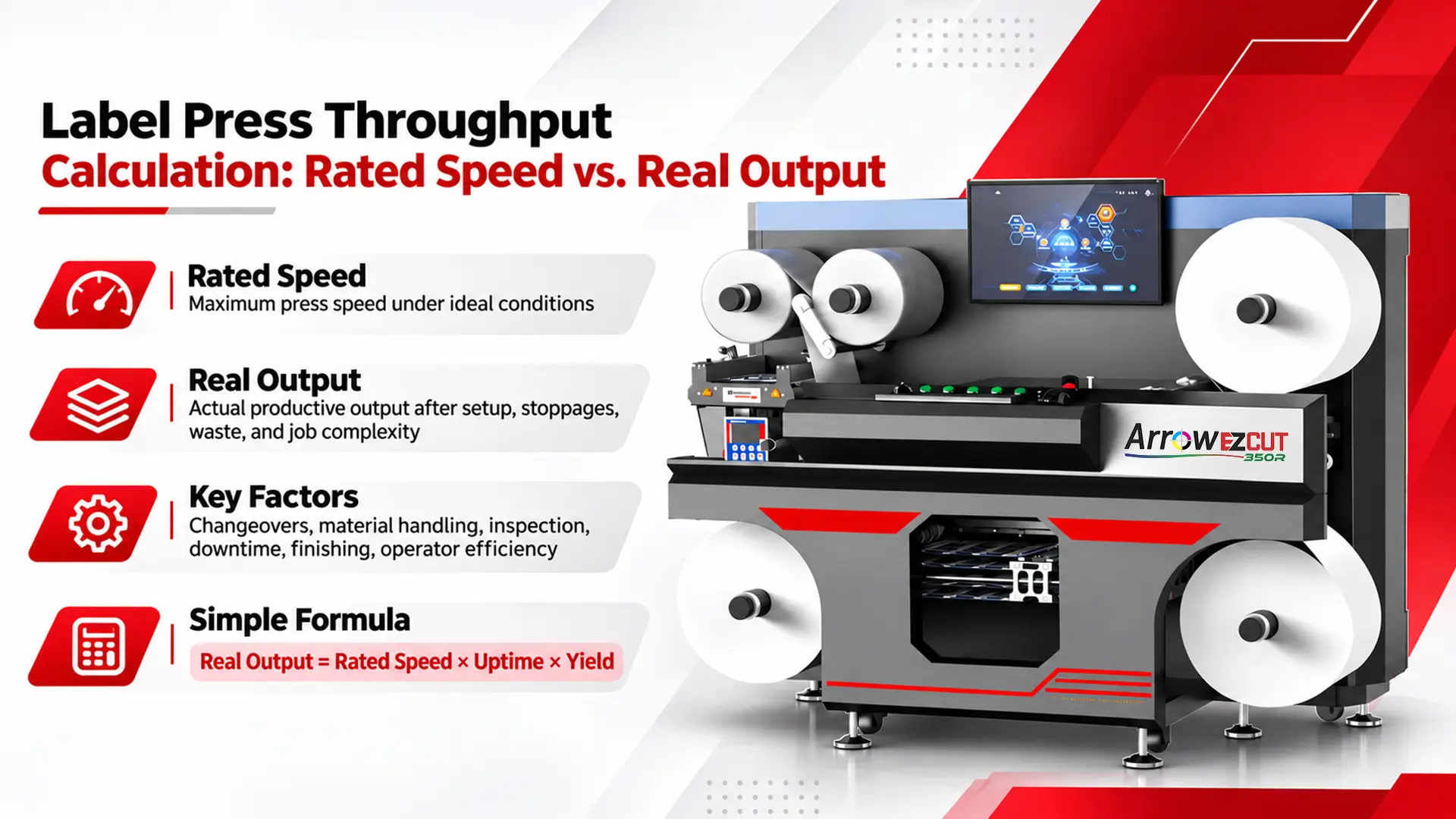
A label press throughput calculation turns rated speed into realistic labels per shift, and the answer is usually well below the rating.
This guide is for operations managers, production engineers, and buyers sizing a digital label press, whether from Arrow Systems, a manufacturer of industrial label printing and finishing hardware, or from another vendor. It covers a repeatable formula, a worked example at three speeds, and a way to map the result onto real press speed tiers.
Rated speed is the top web speed for one print mode; production speed is what the press actually delivers across a shift.
The gap between rated speed and production speed is the starting point for label printing capacity planning. Four terms keep the discussion precise:
Rated speed
Rated speed is the maximum web speed a manufacturer publishes for a given print mode, substrate, and setup. It describes what the press can do under those conditions, not what it will average over a shift.
Effective web speed
Effective web speed is the speed a press actually runs while printing a specific job. Print mode, substrate, drying, and finishing all limit it, and it is the speed that belongs in a throughput formula.
Press utilization rate
Press utilization rate equals actual footage printed divided by (rated speed × scheduled minutes). A utilization rate of 60% does not mean the press is failing; it shows where the other 40% of the shift went.
Web speed vs. print speed
Web speed and print speed are not the same thing, because a moving web is not always a printing web. Threading new stock, ramping up after a stop, running startup footage while color stabilizes, and running through splices all consume time and material that is not saleable and is not reflected on a spec sheet.
Utilization is the more honest metric because it compares what the press produced against what the schedule allowed. It turns the digital label printer speed vs throughput question into a number you can track week to we
Inkjet nozzles fire at a finite frequency, so higher resolution requires a slower web: maximum resolution and maximum speed are separate modes.
Higher addressable resolution places more drops per unit area. Each nozzle can only fire so many times per second, so the web has to slow down to land the extra drops accurately. This is the core print speed and resolution trade-off in every inkjet label press.
When a spec sheet lists a 1600 x 1600 dpi maximum alongside a top speed, those figures describe two different operating points. The ArrowJet Aqua 330R publishes its resolution speed tiers as three named modes:
ArrowJet Aqua 330R print mode | Resolution | Web speed (ft/min) | Web speed (m/min) |
Maximum resolution | 1600 x 1600 dpi | 90 | 27.4 |
Balanced | 1600 x 954 dpi | 150 | 45.7 |
Maximum speed | 1600 x 640 dpi | 195 | 60 |
A press that runs 195 ft/min at 1600 x 640 dpi is running at 90 ft/min when the job requires 1600 x 1600 dpi. A capacity plan built on the top speed for a job that needs the top resolution overstates output by more than double.
Jobs that justify a higher-resolution mode
Fine text, small 2D codes, thin rules, and barcodes with scan-grade requirements may need the 1600 x 1600 dpi or 1600 x 954 dpi mode to print reliably.
Jobs that suit a faster production mode
Solid brand colors and bold graphics often print acceptably in a faster, lower-resolution production mode, which recovers web speed for longer runs.
Testing before scheduling
Print each candidate mode on the actual substrate and verify barcodes with a scanner before locking a mode into the production schedule.
Most of the gap between rated and real output is time the press spends not printing: roll changes, setups, approvals, drying, and finishing.
Roll changeover time
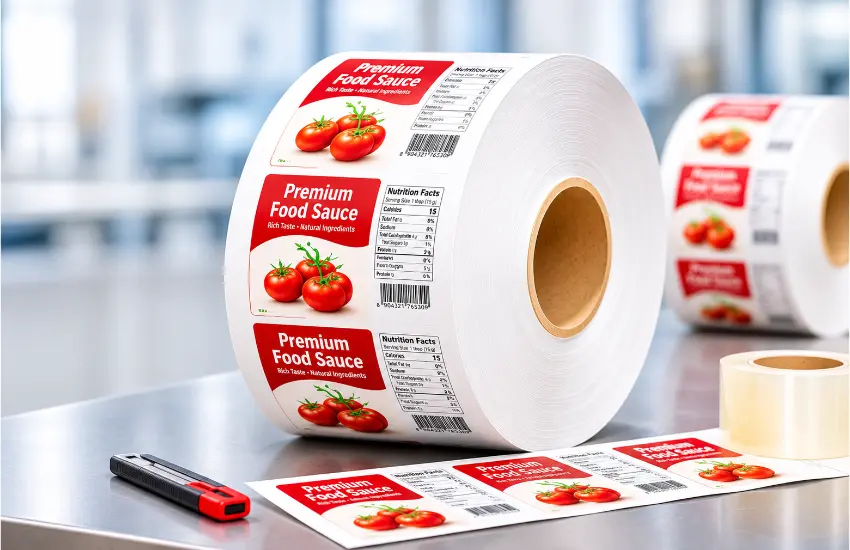
Roll changeover time covers splicing or loading a new roll, rethreading, and restarting the web. Larger rolls and inline splicing reduce how often and how long the press stops: the ArrowJet Aqua 330R accepts unwind and rewind rolls up to 19.7 in (500 mm) outer diameter and includes an inline splicing station with grippers, while the ArrowJet Eco 330R handles rolls up to 350 mm in diameter.
Job setup and file loading
Job setup includes pulling files, setting the print mode, and adjusting web guides and finishing stations. Setup time is fixed per job, so it costs the same number of minutes at any web speed.
Color or first-article approval
Color or first-article approval holds the run until someone signs off on the first labels. In high-mix shops, approval time can rival setup time across a shift.
Drying or curing constraints
Some ink and substrate combinations need more drying energy or dwell time than the top web speed allows, which caps effective speed. Near-infrared (NIR) drying is one way press builders address this limit at higher speeds.
Finishing
Finishing covers lamination, die-cutting, matrix removal, slitting, and rewinding. Inline or near-line finishing can run slower than the print engine and become the limiting step.
Speed has a side effect that many capacity plans miss: a faster web uses up a roll sooner. With an illustrative 3,000 ft roll, the roll lasts about 33 minutes at 90 ft/min but only about 15 minutes at 195 ft/min, so roll changes happen more than twice as often per shift.
The slowest step in the line sets the output, so if a die station cannot keep pace, a faster print engine simply waits. Comparing published finishing speeds against press speed is part of any label press throughput calculation. Arrow’s range of label finishing systems spans blade and laser technologies with different speed profiles:
Arrow finisher | Finishing method | Published speed | Approx. ft/min |
EZCut 350R | Roll-to-roll multi-blade die cutting with rotary slitting | 9 m/min cutting (7 cm x 15 cm label); slitting up to 100 m/min | ~29.5 cutting; ~328 slitting |
ArrowCut Nova 330R | CO₂ laser die cutting | Inline print and cut at 30 ft/min; up to 10,000 labels/hour | ~30 inline |
Aries | Semi-rotary die cutting with magnetic die plate | Up to 30 m/min | ~98 |
Taurus | CO₂ laser finishing (350W) | Up to 30 m/min (TRS35PL); up to 70 m/min (TRS35PL-PLUS) | ~98; ~230 |
A finisher that runs slower than the press does not automatically make a line unworkable. Near-line finishing can run on a longer schedule than the press, so the comparison that matters is total finished labels per day against total printed labels per day.
Arrow EZCut 350R
The Arrow EZCut 350R is a roll-to-roll blade cutter with up to 6 cutting heads and automatic head-distance adjustment. Its CCD camera reads printed marks and number codes to switch cutting jobs automatically, and its rotary slitting system runs up to 100 m/min.
ArrowCut Nova 330R
The ArrowCut Nova 330R is a 150W CO₂ laser die cutter that laminates, die-cuts, removes the matrix, and slits inline at up to 10,000 labels per hour. Run inline with Memjet printing, it prints and cuts at 30 ft/min, so the line runs at the finishing speed rather than the press’s top speed. Laser cutting needs no physical die, which removes die changeover from the setup time on short runs.
Aries semi-rotary finishing system
The Aries is a single-pass semi-rotary finisher that laminates, die-cuts, removes waste, and slits at up to 30 m/min. A snap-in quick changeover system and a flexible magnetic die plate are designed to cut job setup time.
Taurus laser finisher
The Taurus Laser Finisher uses a 350W sealed CO₂ laser for kiss cuts, full cuts, perforation, and engraving at up to 30 m/min, or up to 70 m/min on the TRS35PL-PLUS model, without physical dies.
Job queuing and pre-loaded job files
Queuing jobs and pre-loading files before the current run ends shortens setup, because the next job is ready when the web stops.
Automated run logging
Logging actual run time against idle time shows which loss category is largest, so improvement effort goes where the minutes are actually lost instead of where they are assumed to be lost.
Labels per shift equals net run minutes × effective web speed × labels per foot × (1 − waste rate).
Roll change time depends on how much footage you print, and footage depends on run time. To resolve this, estimate the number of roll changes, calculate the footage, and confirm that the roll count matches before accepting the result.
Variable | Definition |
Shift minutes | Total scheduled minutes in the shift |
Planned breaks | Scheduled stops for breaks or meals |
Job setup time | Number of jobs × setup minutes per job (file load, mode, approval) |
Roll change time | Number of roll changes × minutes per change |
Other downtime | Unplanned stops, cleaning, maintenance, and stranded time |
Effective web speed | Actual printing speed for the job’s print mode and substrate (ft/min) |
× 12 | Converts feet of web to inches |
Repeat length | Label height plus gap, in inches |
Labels across | Number of labels across the web |
Waste rate | Startup, splice, and defect waste as a decimal |
The labels per hour calculation in line 3 gives output per running hour. To get output per scheduled hour, divide the full-shift result by the number of shift hours, which folds setups and roll changes into the rate.
One job run at three speeds shows that a 117% speed increase from 90 to 195 ft/min yields only about 69% more labels per shift.
Shift length
8 hours (480 scheduled minutes), with 30 minutes of planned breaks.
Job setups
3 jobs at 15 minutes each, for 45 minutes of setup time.
Rolls
3,000 ft rolls, with 10 minutes per roll change.
Label geometry
4.0 in repeat length, 3 labels across, and 2% waste.
Finishing
Finishing is assumed not to be the bottleneck in this example.
Step 1: Minutes available before roll changes
480 − 30 − 45 = 405 minutes.
Step 2: Labels per foot of web
12 ÷ 4.0 × 3 × 0.98 = 8.82 labels per foot.
Step 3a: 90 ft/min
Each roll lasts 3,000 ÷ 90 = 33.3 minutes. Nine roll changes take 90 minutes, so net run time is 405 − 90 = 315 minutes. Footage is 315 × 90 = 28,350 ft, which equals nine full rolls plus 1,350 ft of a tenth roll and confirms nine changes. Labels: 28,350 × 8.82 = 250,047. Utilization: 28,350 ÷ (90 × 480 = 43,200) = 65.6%.
Step 3b: 150 ft/min
Each roll lasts 20 minutes. Thirteen roll changes take 130 minutes, so net run time is 405 − 130 = 275 minutes. Footage is 275 × 150 = 41,250 ft, which equals thirteen full rolls plus 2,250 ft and confirms thirteen changes. Labels: 41,250 × 8.82 = 363,825. Utilization: 41,250 ÷ 72,000 = 57.3%.
Step 3c: 195 ft/min
Each roll lasts about 15.4 minutes. Sixteen full rolls (48,000 ft) take 48,000 ÷ 195 = 246.2 minutes of run time, plus fifteen changes at 150 minutes, for 396.2 minutes in total. The remaining 8.8 minutes is not enough for another 10-minute change, so that time is stranded and counts as other downtime. Labels: 48,000 × 8.82 = 423,360. Utilization: 48,000 ÷ 93,600 = 51.3%.
Speed (ft/min) | Roll changes | Net run min | Footage (ft) | Labels/shift | Labels per scheduled hour | Utilization |
90 | 9 | 315.0 | 28,350 | 250,047 | 31,256 | 65.6% |
150 | 13 | 275.0 | 41,250 | 363,825 | 45,478 | 57.3% |
195 | 15 | 246.2 | 48,000 | 423,360 | 52,920 | 51.3% |
90 to 150 ft/min
A 67% increase in web speed adds about 45.5% more labels per shift, because faster rolls trigger four extra roll changes.
150 to 195 ft/min
A 30% increase in web speed adds about 16.4% more labels per shift, because roll changes and fixed setup time now consume a larger share of the shift.
The changeover lever
Keeping the press at 150 ft/min but cutting roll changes from 10 to 5 minutes gives 16 changes (80 minutes), 325 net run minutes, 48,750 ft, and 429,975 labels per shift, which is more than the 195 ft/min scenario produces.
In many operations, shortening changeover and setup time does more for labels per shift than moving to a faster speed tier.
ArrowJet presses span 20 m/min to 450 ft/min, so the right tier depends on calculated throughput for your job mix, not on top speed.
The table below shows each ArrowJet model’s published top speed and the resulting ceiling in labels per running hour for the worked example’s job geometry (4.0 in repeat, 3 across, 2% waste). The ceiling assumes the press prints at top speed for every running minute; real output per scheduled hour will be lower once setups, roll changes, print mode, and finishing are applied.
ArrowJet model | Memjet print engine | Published speed | Ceiling labels per running hour (example job) |
Eco 330R | DuraFlex® | Up to 20 m/min (~66 ft/min) | ~34,700 |
Aqua 330R | DuraFlex® | 90 / 150 / 195 ft/min | 47,628 / 79,380 / 103,194 |
Aqua 330R II | DuraCore™ | 90 / 150 / 220 ft/min | Up to 116,424 |
Bolt 330R Hybrid Pro M | DuraBolt™ | Up to 450 ft/min | Up to 238,140 |
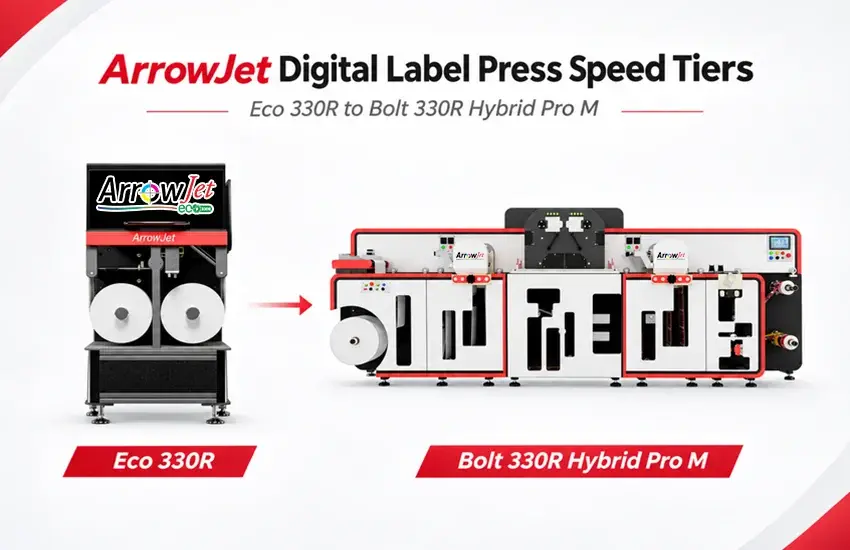
ArrowJet Eco 330R: short-run, high-mix work
The ArrowJet Eco 330R is an entry-level single-pass press printing up to 20 m/min at 1600 x 1600 dpi on single-phase 230V power, with no air compressor required. When setups and changeovers consume much of the shift, the worked example shows that top speed has limited impact, and a lower tier may meet demand.
ArrowJet Aqua 330R: mixed job content
The ArrowJet Aqua 330R offers three print modes from 1600 x 1600 dpi at 90 ft/min to 1600 x 640 dpi at 195 ft/min, which lets operators match the mode to each job’s resolution needs. An NIR drying option supports production at higher speeds.
ArrowJet Aqua 330R II: higher-volume label runs
The ArrowJet Aqua 330R II runs at 90, 150, or 220 ft/min on the Memjet DuraCore™ engine. It uses adphos aNIR® near-infrared drying, which addresses the drying constraint that caps effective speed on many aqueous ink and substrate combinations.
ArrowJet Bolt 330R Hybrid Pro M: long runs
The ArrowJet Bolt 330R Hybrid Pro M prints at up to 450 ft/min using the Memjet DuraBolt™ engine with dual printheads, plus inline primer, varnish, and NIR drying. Higher tiers become relevant when net run minutes are high enough to use the extra speed and finishing can keep pace.
All Memjet-powered ArrowJet presses are updated with Memjet Setanta technology. To compare tiers, run the formula for each one using the effective speed for your required print mode, then compare the results against your demand per shift. The full range of digital label printers can be modeled the same way, which turns label printing capacity planning into a calculation rather than a guess.
Common questions from operations, production, and procurement teams calculating real output from a digital label press.
Press utilization depends heavily on job mix, run length, and finishing. High-mix shops with frequent setups typically run lower utilization than long-run operations. In the illustrative worked example in this guide, utilization fell between roughly 51% and 66%, but that range is not an industry benchmark. Track your own run time and idle time to establish a reliable baseline.
Not proportionally. Faster web speeds use up rolls sooner, so roll changes happen more often, while fixed setup time stays the same regardless of speed. In the worked example, a 30% speed increase from 150 to 195 ft/min added about 16% more labels. Drying limits or slower finishing can reduce the gain further, and in some cases eliminate it.
Multiply effective web speed in ft/min by 60, then by 12, and divide by the repeat length in inches. Multiply that result by labels across and by (1 minus the waste rate) to get labels per running hour. For labels per scheduled hour, divide your full-shift result by the number of shift hours, which accounts for setups and roll changes.
Size the press to calculated throughput, not rated speed. Rated speed shows the press’s maximum capability, not your expected output. Run your actual job mix through the formula, including setups, roll changes, required print modes, and finishing speed, then add margin for growth. Comparing printer speed against real throughput this way helps prevent both overbuying and underbuying.
A defensible capacity plan treats rated speed as a ceiling and builds output from net run minutes, print mode, and finishing speed.
Run several typical jobs through the formula. The results will show which loss category affects your operation most, and whether a faster press, a shorter changeover, or added finishing capacity moves output the furthest.
If you are sizing a digital label press, Arrow Systems offers a no-obligation throughput review for operations, production, and procurement teams evaluating ArrowJet presses and Arrow finishing systems.
Share your typical label sizes, run lengths, jobs per shift, resolution needs, and finishing requirements. The Arrow Systems team will model realistic output across ArrowJet speed tiers and matching finishing configurations so you can size the press and finisher to the work you actually run.
Table of Contents Label Press Throughput Calculation: Rated Speed vs. Real Output A label press throughput calculation turns rated speed into realistic labels per shift,

Table of Contents Seasonal Coffee Label Printing: Holiday Runs on One Press Seasonal coffee label printing works best when every Q4 label runs on one
Table of Contents Primer and Varnish Stations: Inkjet Label Press Spec Guide Primer and varnish stations prime film before inkjet printing and protect it after,
Table of Contents Batch Coding Technology Comparison: Food Labels & Industrial CIJ suits wet and curved packs, TTO suits film and barcodes, laser suits permanent

Table of Contents Cosmetic Label Color Consistency: Diagnosing Batch Shifts A polyimide label substrate is a high-temperature film construction that stays bonded and scannable through

Table of Contents Polyimide Label Substrate for Aerospace and Industrial Use A polyimide label substrate is a high-temperature film construction that stays bonded and scannable