Inkjet vs Thermal Transfer Food Labels

Table of Contents

Inkjet vs Thermal Transfer Food Labels: A 2026 Buyer's Guide

Choosing between inkjet and thermal transfer food labels comes down to cold-chain durability versus variable-data flexibility — and your actual SKU mix decides which wins.

Key Takeaways

  • Choosing the right food packaging label printer is a chemistry-to-substrate match, not a blanket “inkjet vs thermal transfer” verdict — both technologies can pass or fail cold-chain and washdown testing depending on ink or ribbon pairing.
  • Digital inkjet eliminates ribbon and plate costs and changes lot codes, sell-by dates, and serialized data on the fly — a growing advantage as SKU count and revision frequency increase.
  • Thermal transfer remains the simpler, cost-competitive choice for low-SKU, high-durability, infrequently-changing production runs.
  • The ArrowJet Aqua 330R II and ArrowJet UV 330H are digital inkjet press platforms built for food and beverage label production, with Arrow’s EZCut and ArrowCut Nova finishing systems handling die-cutting and lamination on the printed roll.
  • FSMA 204 (the Food Traceability Rule) is now enforceable from July 20, 2028 — a compliance driver worth factoring into any variable-data printing decision made this cycle.

Why Print Technology Is a Strategic Decision for Food Packaging Operations

Print technology shapes label durability, traceability compliance, and unit economics — the wrong choice surfaces as smeared codes, failed scans, and retailer chargebacks.

Food labels have to survive freezing, condensation, and washdown while carrying lot codes, sell-by dates, and barcodes that change constantly. Ops, engineering, QA, and packaging leads feel mismatched print technology directly — as scan rejects, rework, and compliance exposure, not just an aesthetic complaint. Choosing the best label printer for food packaging comes down to matching the digital label printer or thermal transfer system behind your labeling line to those demands across every SKU.

The decision is also increasingly a traceability decision, not just a print-quality one. FSMA 204, the FDA’s Food Traceability Rule, is now scheduled for enforcement starting July 20, 2028 after a 30-month extension from its original January 2026 date. Operations producing foods on the Food Traceability List will need to capture and share Key Data Elements at each Critical Tracking Event — which puts a premium on label systems that can generate and update lot-level data quickly and accurately.

FDA FSMA 204 compliance requirements, timelines, and applicability to specific foods should be verified against the current FDA Food Traceability Final Rule guidance and confirmed with qualified regulatory counsel. Arrow Systems sells label printing hardware; Arrow does not provide regulatory or compliance advisory services.

How Inkjet and Thermal Transfer Printing Work

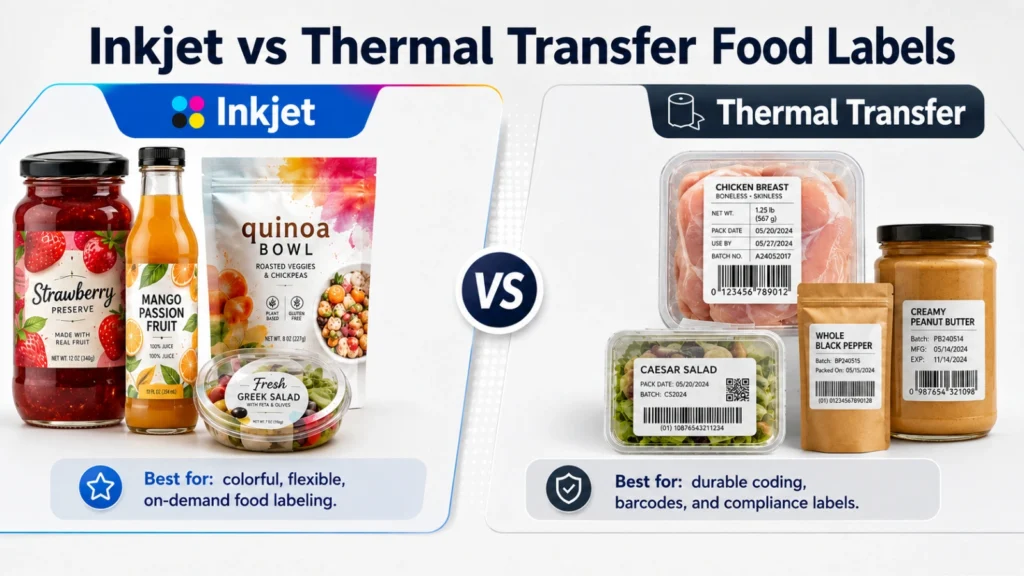
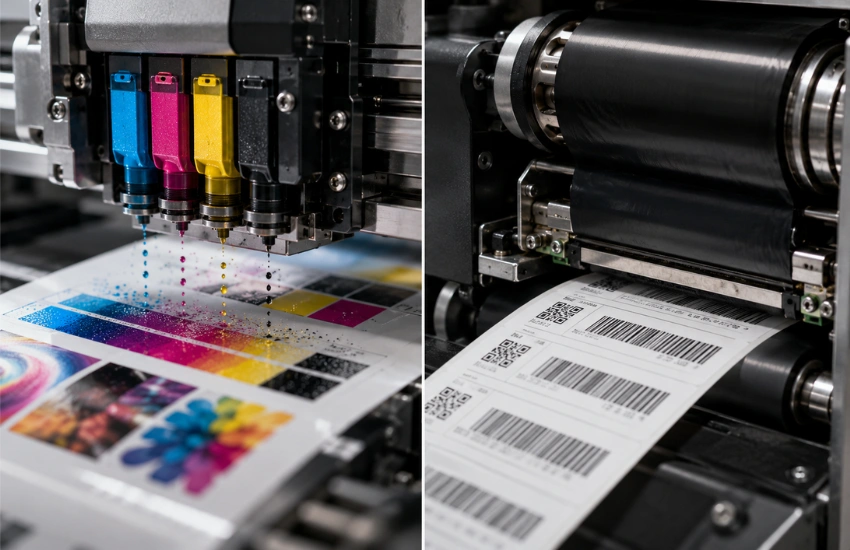
Thermal transfer fuses a solid ribbon film to the label; digital inkjet deposits liquid ink directly onto the substrate — that single mechanical difference drives most durability and cost differences downstream.

Thermal transfer printing

A heated printhead melts pigment or resin off a coated ribbon and bonds it to the label substrate. The ribbon is a consumable that runs alongside the media and is replaced as it depletes. Because the image fuses to the surface, resin-based ribbons produce hard, durable marks — the reason thermal transfer has been a food-labeling standard for decades. For more on how heat-based label technologies work, see Arrow’s deep dive into thermal label technology.

Digital inkjet printing

A digital press fires droplets of liquid ink directly onto the label with no ribbon and no plate. Water-based pigment systems, like the Memjet DuraFlex® and DuraCore™ engines used in ArrowJet presses, print full-color graphics, high-resolution barcodes, and variable data in a single pass, with the ink absorbed and dried onto the substrate.

Why the mechanical difference matters

Thermal transfer bonds a solid film to the label; digital inkjet lays down liquid ink that has to dry or cure. That distinction is what determines how each technology behaves in the freezer, on a wet can, and across a long production run — covered in the comparison below.

Inkjet and Thermal Transfer Printing Work

Inkjet vs. Thermal Transfer: Side-by-Side Comparison

Durability, variable-data handling, and cost each favor a different technology depending on SKU variety, run length, and exposure conditions — not one winner across the board.

Factor

Thermal Transfer

Digital Inkjet

Deep-freeze / condensation

Strong with resin ribbon

Strong with pigment ink on synthetic/coated stock; weaker if ink isn’t fully dried

Washdown / high moisture

Proven with resin + synthetic substrate

Comparable with pigment or UV-cured ink + coated synthetic

Chemical / caustic contact

Excellent (resin)

Excellent (UV-cured); weaker with uncured aqueous ink

Variable data (lot codes, dates, barcodes)

Reliable but requires ribbon reload/reformat between changes

Changes on the fly — no ribbon, no plate, per-label serialization possible

Color and graphics

Typically monochrome coding

Full-color graphics, barcodes, and text in a single pass

Run length economics

Flat per-label cost regardless of run length; minimal setup

No plate cost; economics improve as SKU variety and volume grow

Treat this table as a starting filter, not a verdict. Final selection should be validated on your actual substrates, ink or ribbon chemistry, and cold-chain or washdown conditions — not on generic benchmarks. Arrow’s guide to printing safe and durable food labels covers substrate and chemistry pairing in more depth.

Variable Data: Lot Codes, Sell-By Dates, and Barcodes

Food labels are rarely static — lot codes, sell-by dates, and barcodes change constantly, and this is where the two technologies diverge sharply.

Thermal transfer and variable data

Thermal transfer handles variable data reliably: text, dates, and barcodes render from the print file, and data swaps between runs are straightforward. Barcode edge quality from resin thermal transfer is typically crisp and high-contrast, clearing retailer scan thresholds consistently.

Digital inkjet and variable data

Digital inkjet takes variable data further. With no ribbon or plate, lot codes, sell-by dates, batch numbers, and full graphics can change on the fly — including per-label serialization. This suits high-mix operations and ERP-driven automation workflows, where code generation feeds print data directly to the line and inline verification confirms each barcode before the product moves on. Arrow’s overview of variable data printing covers the workflow mechanics in more depth.

Changeover time between SKUs

For both technologies, scannable barcodes at line speed depend on resolution, contrast, and substrate. The practical difference is workflow: digital inkjet generally reduces changeover time when data changes frequently, because there’s no ribbon to reload and fewer mechanical steps between SKUs.

Connection to FSMA 204 traceability recordkeeping

Operations preparing for the July 20, 2028 FSMA 204 enforcement date will be generating and updating Key Data Elements — including lot codes — more frequently as traceability plans mature. Label systems that can update variable data without a ribbon change or reformat step reduce the operational friction of that shift — see Arrow’s overview of automated label compliance workflows for food production.

Cost Per Label at Different Run Lengths

Cost per label run length depends on the technology: thermal transfer’s ribbon cost stays flat per label, while digital inkjet’s economics improve as SKU variety and volume grow.

The following ranges are illustrative estimates meant to frame the decision, not quotes for your operation. Actual numbers depend on substrate, ink or ribbon coverage, and equipment.

Run Profile

Technology That Tends to Win

Why

Very short runs, low SKU variety

Thermal transfer

Simple, cost-competitive when a single durable code is all that’s needed

Short-to-medium runs, high SKU variety

Digital inkjet

Eliminating plate and changeover overhead outweighs ink cost

High-volume, high-mix runs

Digital inkjet

Lowest total cost per label as volume and variable-data complexity increase

Two costs that don’t show up on a spec sheet but belong in the model: printhead life for digital inkjet systems, where head replacement is a periodic maintenance item, and reprints and scan failures, which either technology can cause if durability is mismatched to conditions. Fewer barcode rejects meaningfully reduce true cost per label by cutting rework and chargeback risk. This dynamic is explored further in Arrow’s piece on short-run food label production.

ArrowJet Digital Inkjet Presses for Food Label Production

Arrow Systems manufactures digital inkjet label printing hardware — a commercial food label printer lineup covering food and beverage label scenarios from entry-level to high-durability production.

Three of these presses run on Memjet digital label printing technology. Brands running both food and beverage lines can also see Arrow’s guide to digital printing for beverage labels for format considerations specific to bottles and cans.

ArrowJet Aqua 330R II for water-based pigment food label production

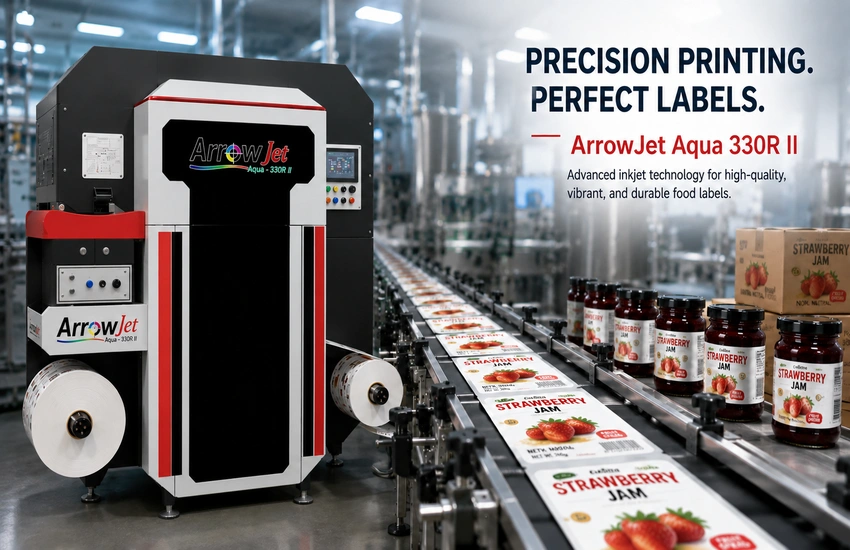
The ArrowJet Aqua 330R II runs on a Memjet DuraCore™ engine with a 12.69″ (322 mm) print width, resolution up to 1600 × 1600 dpi, and speed tiers of 90, 150, and 220 ft/min. It prints water-based pigment CMYK ink and is Swiss Ordinance and Indirect Food Contact Safe certified — a relevant specification for teams evaluating label stock in close proximity to food packaging. Brands should still confirm certification scope against their specific product and container against current regulatory requirements.

ArrowJet Aqua 330R II for water-based pigment food label production

ArrowJet UV 330H for washdown, cold-storage, and film-substrate durability

The ArrowJet UV 330H is a true hybrid UV label press combining roll-to-roll and flatbed printing. UV-cured ink forms a hard, chemically resistant film directly off the press, supporting CMYK + White, CMYK + Varnish, and CMYK + White + Varnish configurations for opaque printing on film and foil substrates common in frozen and refrigerated food packaging. Standard UV inks are widely used across food secondary packaging; for labels in close or direct food contact, confirm ink migration compliance with your regulatory team rather than relying on a general technology claim. See Arrow’s UV label printers category page for the full UV ink configuration range.

ArrowJet Eco 330R for smaller food and beverage brands entering in-house production

As a compact roll to roll digital inkjet label printer, the ArrowJet Eco 330R runs on a Memjet DuraFlex® engine at up to 20 m/min and a 324 mm print width, on single-phase power with no air compressor required. For food and beverage brands managing a smaller SKU count, it provides an entry point into in-house digital label production without the capital commitment of a high-throughput press — useful when label revisions need to move faster than a converter’s typical turnaround.

ArrowJet Aqua 800M for flexible food packaging formats

For food brands running pouches, sachets, and stick packs alongside roll labels, the ArrowJet Aqua 800M is built for wide-web flexible substrate printing with a high-durability pigmented aqueous inkjet platform. It is a separate press from the label-focused Aqua 330R II and Eco 330R, intended for teams whose food packaging portfolio extends beyond pressure-sensitive labels into flexible film formats.

All four presses print on demand — no plates, no minimum order quantities — which addresses the variable-data and traceability pressure covered above without carrying pre-printed label inventory that becomes obsolete when a lot code, sell-by date, or FSMA 204 recordkeeping field changes.

Arrow Label Finishers for Food Label Die-Cutting and Lamination

Arrow’s EZCut blade die cutters and ArrowCut Nova laser finishers handle die-cutting, lamination, and custom shapes on ArrowJet-printed food label rolls.

Why finishing compatibility matters in food label production

The press is only half the production system. Whether you print on the Aqua 330R II or UV 330H, finishing determines the final label that ships: laminated or not, die-cut to shape, slit, and rewound. Arrow’s full range of label finishing systems keeps the downstream workflow consistent regardless of which press produced the roll.

Arrow EZCut 330R+ — flatbed and roll-to-roll blade die cutting

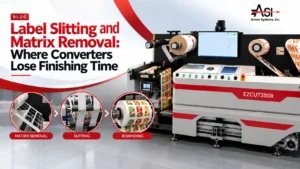
The EZCut 330R+ is a flatbed and roll-to-roll hybrid blade die cutter with a maximum cutting width of 350 mm, cutting accuracy of ±0.1 mm, and a maximum speed of 150 cuts per minute. It supports self-adhesive, PP synthetic, PET, PVC, and flexible materials — covering the substrate range printed on either the Aqua 330R II or UV 330H. Cold lamination is available inline for washdown or cold-storage SKUs requiring an added protective layer.

Arrow EZCut 350R — higher-throughput multi-blade roll-to-roll cutting

The EZCut 350R is a dedicated roll-to-roll multi-blade cutter with up to 6 cutting heads, a cutting speed of 9 m/min, slitting speed up to 100 m/min, and die cutting precision of ±0.1 mm across a maximum label width of 330 mm. Where the 330R+ suits mixed roll and flatbed jobs, the 350R is built for higher-throughput, consistent label shapes at volume — a fit for core food SKUs running at scale. Barcode-triggered automatic job changeover supports multi-SKU production runs.

ArrowCut Nova — CO₂ laser finishing for custom shapes

The ArrowCut Nova 330R and ArrowCut Nova 250R are laser label finishers that cut without physical dies, enabling custom shapes, perforations, kiss cuts, and etching. Laser finishing suits short-run or seasonal food SKUs — limited-edition flavors, promotional packaging — where die tooling cost cannot be amortized across the print run.

Connecting print and finish into one workflow

When print and finish share job data with minimal manual handoffs, short-run and high-mix food label production becomes economically viable at a per-SKU level. Fewer touchpoints between artwork approval and finished roll reduce turnaround time — important when frequent lot code and sell-by date changes are already compressing the production schedule.

How to Decide: A Practical Framework for Food Packaging Teams

Map your SKU mix, define cold-chain and durability requirements, model total cost across run lengths, and pilot on real substrates before standardizing across the line.

Step 1: Map your SKU mix and exposure environments

List every active and planned SKU. For each one, note substrate, storage environment (ambient, refrigerated, deep-freeze), washdown exposure, and how often the lot code or sell-by date changes. This mapping reveals whether thermal transfer, digital inkjet, or a dual-technology setup best serves the portfolio.

Step 2: Define durability and data-change requirements per cluster

Translate each SKU cluster into specific requirements: freeze/thaw resistance, chemical or caustic exposure, barcode scan thresholds, and how frequently lot codes, sell-by dates, or FSMA 204 recordkeeping fields will change. Requirements should drive the technology choice, not the reverse.

Step 3: Model total cost across run lengths — not just ink or ribbon cost

Include printhead life, ribbon consumption, changeover waste, and scan-failure rework in the comparison. Digital inkjet consistently wins on total cost once revision cycles and SKU proliferation are factored in against pre-printed label inventory.

Step 4: Pilot labels under real cold-chain and washdown conditions

Validate durability before committing the line. Cycle labels through actual freeze/thaw conditions, expose them to real washdown chemicals, and scan barcodes at production line speed. Decisions made on samples that never see the actual storage or handling environment rarely survive real-world deployment. Request label samples from Arrow Systems to pilot on your specific substrates before standardizing.

Frequently Asked Questions — Inkjet vs. Thermal Transfer Food Labels

Common questions from food and beverage packaging, operations, and QA teams evaluating inkjet and thermal transfer for label production.

Both can perform in cold chain conditions when matched correctly. Resin thermal transfer on a synthetic substrate is a long-proven combination. Digital inkjet can match it using pigment or UV-cured inks on coated synthetic media — the ArrowJet Aqua 330R II runs water-based pigment ink on synthetic and coated stocks. The deciding factor is chemistry-to-substrate fit and how much your variable data changes.

They can if the ink is not fully dried or applied to an unsuitable substrate. Properly matched digital inkjet systems using pigment inks on coated synthetic stock, with NIR or IR drying support, are designed to resist wet-rub and hold up through condensation and thaw cycles. Testing under your actual cold chain conditions is essential before standardizing on any press.

Both resin thermal transfer and high-resolution digital inkjet can produce retail-grade, scannable barcodes at line speed. Reliability depends on resolution, contrast, and substrate. Inline verification is the best way to catch marginal codes before product ships, regardless of which print technology you choose.

As an illustrative rule of thumb, thermal transfer often stays competitive for very short, low-variety runs, while digital inkjet typically becomes more economical as SKU variety and volume grow, because it eliminates plate, ribbon, and changeover overhead. Your true break-even depends on substrate, coverage, and consumable costs, so it should be modeled against your specific run profile.

It depends on your substrate mix, durability requirements, and SKU volume. The ArrowJet Aqua 330R II is built for food-contact-adjacent label applications with water-based pigment ink. The ArrowJet UV 330H suits high-durability, washdown, and cold-storage SKUs on film substrates. The ArrowJet Eco 330R is a lower-investment entry point for smaller food and beverage brands moving label production in-house. Arrow Systems sells the hardware; a structured assessment can match a configuration to your SKU mix.

It depends on the SKU. Thermal transfer remains a strong, proven choice for low-SKU, infrequently-changing, high-durability runs — the best thermal printer for food labels is still the right call when barcode scan reliability and freeze/thaw durability matter more than variable-data flexibility. For operations with growing SKU variety, frequent lot code or sell-by date changes, or full-color label requirements, a commercial food label printer using digital inkjet technology typically wins on total cost and flexibility. The best answer comes from mapping your actual SKU mix against both technologies rather than defaulting to whichever one your operation has always used.

Get a Food Label Press Assessment from Arrow Systems

If your food or beverage operation is evaluating digital inkjet versus thermal transfer for a specific SKU mix — or preparing your label workflow for FSMA 204 traceability recordkeeping — Arrow Systems offers a structured assessment for packaging, operations, and QA leaders.

The assessment reviews your SKU map, cold-chain and washdown requirements, substrate strategy, and run-length economics to recommend a press configuration — ArrowJet Aqua 330R II, ArrowJet UV 330H, ArrowJet Eco 330R, or a combination — that fits how your operation actually produces and revises labels.