
Table of Contents
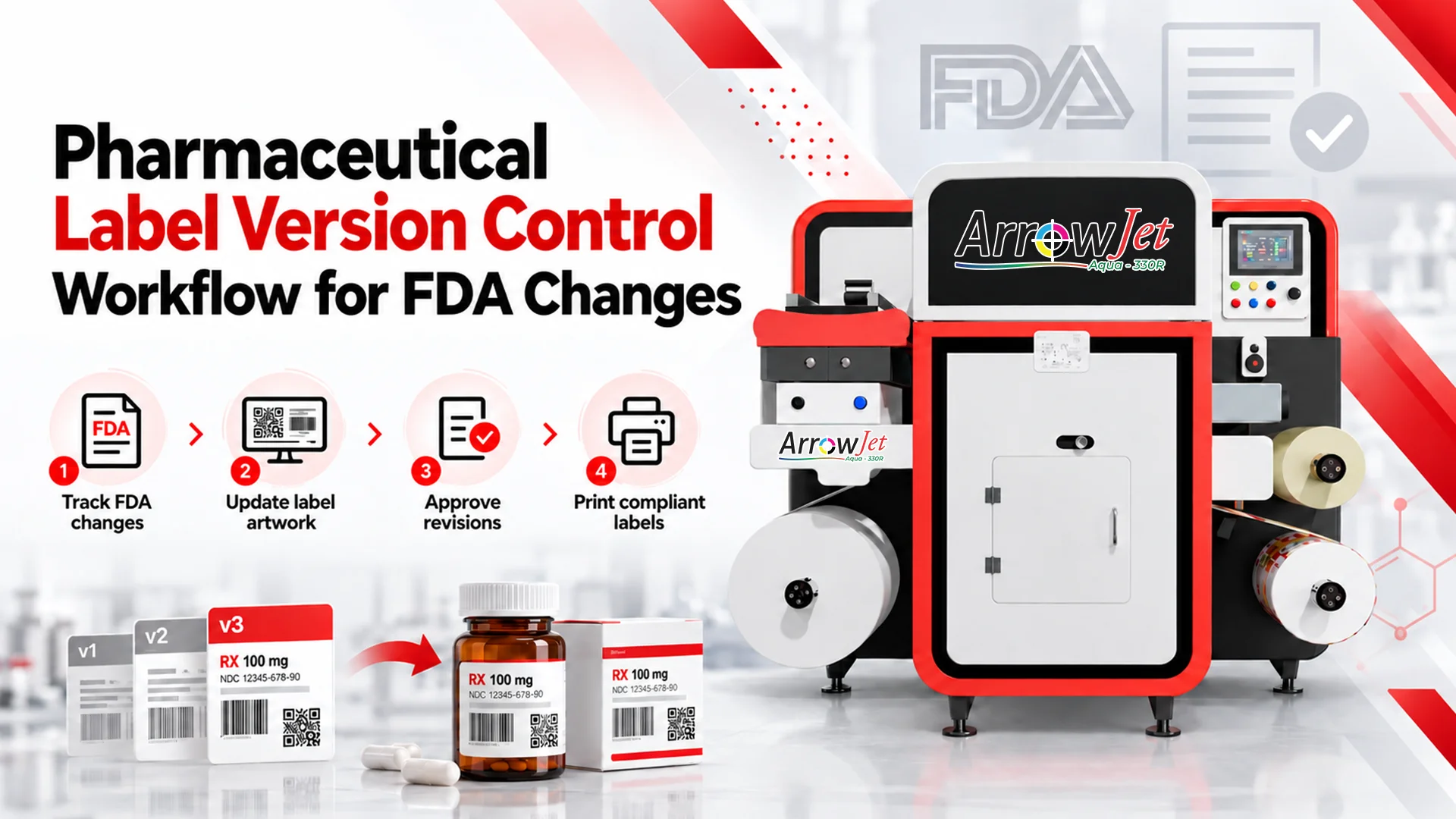
Pharmaceutical Label Version Control Workflow for FDA Changes
A GMP label version control workflow moves an approved revision to the line: change record, impact review, artwork lock, cutover, destruction.
Key Takeaways
- Version coexistence — old and current labels present in the same staging area, issuance transaction, or warehouse location — is the most common root cause behind labeling deviations, and the easiest condition to design out.
- GMP change control for label revisions runs through eight named gates, from change initiation through closure, each with a defined owner and output document — ambiguity at any gate is the most common reason a change stalls.
- Two cutover models exist for transitioning to a new label version: a hard effective date, or an approved use-up of existing stock — whether use-up is permitted is always a regulatory and quality decision, not an operations call.
- In-house digital label printing removes plates and dies from the critical path, so printing after QA release becomes a scheduling decision rather than a multi-week procurement cycle.
- Printing to the batch or campaign instead of a minimum order quantity strands materially less inventory, meaning fewer write-offs, less quarantine volume, and less destruction documentation at the next revision.
Why Label Version Changes Are a Production Risk in Pharmaceutical Manufacturing
Label revisions arrive from many directions outside packaging operations, and most incidents trace back to one root cause: version coexistence.
Regulatory and safety-driven text changes
Updated prescribing information, warnings, or storage and handling statements.
Supplier, site, or manufacturer changes
A new API source, a new packaging site, or a revised responsible-party statement.
Serialization, barcode, and identifier updates
Changes to encoded data, code structure, or human-readable content.
Market and language variants
Country-specific text on otherwise identical presentations.
Component-driven changes
A substrate, adhesive, or die change that forces artwork rework.
The failure mode that dominates risk assessments is version coexistence: superseded and current labels present in the same staging area, the same issuance transaction, or the same warehouse location. It is a frequent root cause behind labeling deviations, and it is also the easiest condition to design out.
The downstream consequences are predictable. Lines stop while the discrepancy is investigated, and affected material and finished goods move to quarantine hold. Deviation and investigation workload spikes when the schedule is tightest. Packaged units may need rework or destruction, and obsolete pre-printed inventory gets written off.
Pre-printed inventory and external converter lead times also sit directly on the critical path. When plates, dies, and a minimum order quantity stand between approval and compliant labels, the effective-date pressure lands on operations rather than on procurement.
The Regulatory Requirements: What Change Control Requires for Pharma Label Updates
Printed packaging materials are GMP-controlled components, governed by a defined change-control sequence before any revised label reaches the line.
Printed packaging materials are controlled components, not consumables. GMP expectations for control of printed packaging materials generally require an approved specification, a unique version identifier, controlled issuance to the line, reconciliation of what was issued against what was used, and documented destruction of obsolete material.
Change control expectations for label changes in a GMP environment generally include:
A documented change request
Capturing reason, scope, affected presentations, and requested effective date.
An impact assessment
Covering documents, systems, components, equipment, and inventory.
A regulatory assessment
Of whether the change is reportable, and under which mechanism.
QA approval before the revised label is used
In production.
A defined effective date
Or an approved use-up provision.
Traceability closes the loop. The batch record should make it possible to determine, after the fact, which label version was applied to a given lot, together with the issuance and reconciliation figures that support it.
One important qualifier: reportability, documentation depth, and effective-date handling all depend on the product, the application type, the markets involved, and your approved procedures. Confirm requirements with your regulatory affairs and quality functions before you design or change any part of this workflow. Arrow Systems sells label printing and finishing hardware; Arrow does not provide regulatory, compliance, or quality-system advisory services.
Step 1 — Documenting the Change: What GMP Requires Before Printing Starts
Nothing gets printed before the change control record exists — it anchors every downstream artifact in the workflow.
Raise the change control record. Capture the trigger and source document, the scope (SKUs, presentations, package configurations, and markets), the requested effective date, and the requesting function. This record anchors every downstream artifact.
Complete the impact assessment. Timelines are won or lost here, because an incomplete assessment surfaces surprises during changeover. Cover at minimum:
- Artwork files and the master label specification
- Barcode and 2D code content, encoded data, and print quality requirements
- Alignment across label, carton, insert, and any secondary printed components
- Packaging equipment recipes, vision system templates, and inspection parameters
- On-hand label and insert inventory by lot and location
- In-transit purchase orders and open converter commitments
- In-process batches and finished goods printed under the prior revision
Complete the regulatory assessment next. Regulatory affairs determines reportability and any submission dependency that constrains the effective date. Operations should treat that output as a fixed input to scheduling, not a variable.
Gates, Owners, and Outputs
Gate | Owner | Output document |
Change initiation | Regulatory Affairs or QA | Change control record |
Impact assessment | Packaging Engineering (cross-functional input) | Completed impact assessment |
Reportability determination | Regulatory Affairs | Regulatory assessment record |
Artwork proof and release | Packaging Engineering, then QA | Approved artwork with version ID |
Specification update | QA / Document Control | Revised master label specification |
Inventory and cutover plan | Planning / Materials | Cutover plan with effective date |
Line execution | Line Supervisor | Line clearance and reconciliation records |
Change closure | QA | Closure record and effectiveness check |
Named ownership at each gate is what makes the pharma label version update process auditable. Ambiguity at a gate is the most common reason a change sits idle for days before anyone notices it has stalled.
Step 2 — Artwork Approval and Version Lock
Establish one controlled artwork master with a unique version identifier, then run proofing and version-lock in a fixed sequence.
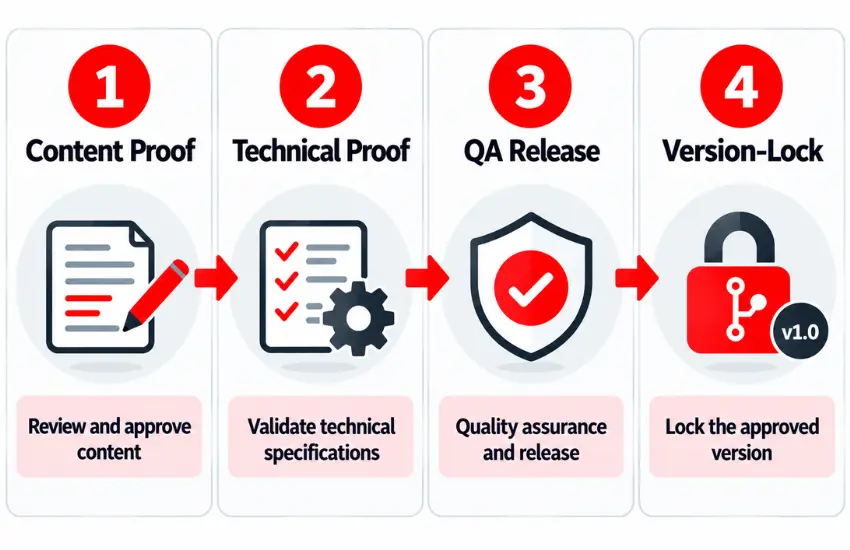
Controlled artwork master
Keep a single released file per presentation, carrying a unique version identifier and a maintained revision history. Every other copy is a reference, not a master.
Visible version identifier
Print the version identifier in a human-readable field, or use a coded revision mark in a consistent position on the label. Operators, QA inspectors, and line supervisors can then verify version at a glance during issuance and line clearance, without cross-referencing a paper specification.
Proofing sequence, run in order
Content proof first: label text is verified word for word against the approved source text by a reviewer independent of the person who prepared the file. Technical proof second: dielines, minimum type size, color targets, barcode and 2D code grade, and variable data fields. QA release signature last, applied to the specific version identifier.
Version lock
Freeze the released file, retire the prior revision in the document system so it cannot be pulled for production, update the master label specification, and publish the effective date to planning, purchasing, and the line. Retiring the prior revision is the step teams skip most often, and it is the one that keeps an old file from reaching a printer months later.
Operations automation helps here. When print requests are generated from the released specification and the production schedule — through MES, ERP, or line controller integration rather than manual entry — the version that prints is the version QA released. That removes an entire class of transcription and file-selection error, and it ties the label version to a batch or campaign instead of to whatever roll sits on the shelf.
Step 3 — Transitioning Production Without Mixing Old and New Label Versions
Choose the cutover model deliberately — a hard effective date or an approved use-up of existing stock — then sequence the changeover.
Choose the cutover model deliberately. There are two, and they carry different documentation burdens. Whether use-up is permitted at all is a regulatory and quality decision, never an operations call — the table below compares the two approved models once that determination is made.
Factor | Hard Effective Date | Approved Use-Up of Existing Stock |
When it applies | Safety-related changes, regulatory commitments that fix the date, or prior label text that could mislead | Non-safety-related changes where regulatory affairs and QA have documented the rationale and no submission commitment fixes the date |
Existing stock | Becomes obsolete on the effective date | Consumed until exhausted, then the new revision takes over |
Documentation focus | Segregation, quarantine, and destruction records for remaining stock | Rationale, a bounded use-up window, and the tracking method — all documented in the change control record |
Sequence the changeover like any other planned changeover:
- Quarantine and segregate superseded stock. Move it out of staging to a physically separate, labeled quarantine location, and block it in the inventory system so it cannot be issued.
- Perform line clearance before issuance. Clear the line, staging tables, printers, reject bins, and rewind stations of all prior-version material, and document it on the line clearance record.
- Issue with independent verification. A second qualified person verifies version identifier, quantity, lot, and specification against the batch record before material reaches the line.
- Run a first-article check against the approved proof. Compare the first printed and applied labels to the released artwork proof, and verify barcode and 2D code readability and grade after any revision — even a text-only change, because layout shifts can affect code quality.
- Reconcile after the run. Account for issued, applied, damaged, and returned counts, and investigate discrepancies before releasing the line to the next product.
- Perform line clearance again after the changeover so no current-revision material carries into an unrelated setup.
Prior-version material already in the system needs a documented disposition. In-process batches partially packaged under the previous revision are either completed under that version, where permitted, or held for rework. Finished goods already released under the prior revision are typically addressed in the impact assessment, including any distribution or field considerations that regulatory and quality define.
Close the loop with records. Destruction of obsolete labels should generate a destruction record identifying version, quantity, method, and witnesses. Obsolete label reconciliation should tie issued, applied, returned, and destroyed counts back to the original receipt quantity. Then close the change control record and schedule the effectiveness check, typically a review of the first runs under the new revision for deviations, reconciliation discrepancies, or code verification failures.
How In-House Digital Printing Makes Label Version Changes Faster and Less Risky
In-house digital printing doesn’t change the workflow above — it shrinks the calendar time between QA release and compliant labels on the line.
None of the workflow above changes with in-house digital label printing. What changes is the calendar time between QA release and compliant labels on the line, plus how much obsolete inventory the next revision creates.
No plates or dies on the critical path
Digital printing removes tooling from the sequence. Once artwork is version-locked and the specification is released, printing becomes a scheduling decision rather than a procurement cycle.
The controlled file becomes the practical master
With print-on-demand, the released file drives production directly, so no converter holds a copy whose revision status has to be confirmed separately.
Print quantities tie to the batch or campaign
Minimum-order overbuy disappears, so the next revision strands materially less inventory. Fewer stranded rolls means fewer write-offs, less quarantine volume, and less destruction documentation. Where a single minimum order covers several campaigns of demand, every text change exposes that full quantity to obsolescence; printing per campaign limits exposure to the current run.
Shorter print cycles reduce where a superseded version can hide
Less pre-printed stock in storage mechanically reduces the number of places a superseded label version can be found — fewer staging areas, warehouse locations, and issuance transactions where an old and current version could coexist.
Finishing and inspection stay inside one workflow
Laminating, die-cutting, and rewinding in a single pass — with inline inspection of variable data and codes — keeps verification close to the point of print instead of relying on incoming inspection weeks later. Arrow’s label finishing systems, including the EZCut 330R+ blade die cutter with inline cold lamination, handle the die-cutting, lamination, and rewinding step for both label and flexible packaging formats.
ArrowJet Aqua 330R for in-house pharmaceutical label production
The ArrowJet Aqua 330R is a roll-to-roll aqueous pigment inkjet press built on Memjet’s DuraFlex engine — updated with Memjet’s Setanta technology — printing at up to 195 ft/min across a 380 mm maximum media width on three-phase power. It is a verified fit for pharmaceutical and nutraceutical label production — printing directly from the QA-released specification so the version that prints on the line is the version that was approved.
The practical gain is usually sequence compression rather than raw print speed. A narrower window between QA release and first compliant label gives regulatory and quality room to complete their gates properly instead of under schedule pressure.
Frequently Asked Questions — Pharmaceutical Label Version Control
Common questions from packaging operations, quality, and regulatory affairs teams managing pharmaceutical label version changes.
Sometimes, but it is a regulatory and quality determination documented in the change control record, not an operations call. Use-up is more commonly considered for changes that are not safety-related and where no submission commitment fixes the date. When approved, the rationale, the bounded window, and the tracking method all belong in the record. Safety-related text changes typically require a hard cutover with segregation and destruction of remaining stock.
Layer physical and system controls. Retire the prior artwork revision in the document system, block obsolete lots in inventory, and move them to a separate quarantine location. Print a visible version identifier so operators can verify without paperwork, then require line clearance before issuance and independent verification of version at issue. Reconcile issued, applied, damaged, and returned counts after every run.
There is no reliable standard duration, because the drivers vary by change. The main ones are how quickly the regulatory assessment closes, how many proofing cycles the artwork needs, whether the change touches barcodes or equipment recipes, whether externally printed inventory must be ordered and received, and how the cutover is scheduled against committed batches. Mapping your last several changes gate by gate usually shows the elapsed time concentrated in one or two of those areas.
Get a Structured Label Change Assessment from Arrow Systems
Map your current label change control workflow against the gates above, and record the calendar time each gate consumed on your last three revisions. Most teams find the time concentrates in one place: regulatory assessment, artwork proofing and version lock, or waiting on externally printed inventory.
Arrow Systems can support a structured, no-obligation assessment of that picture: SKU count and revision frequency, current converter lead times and minimum order quantities, and where in-house digital label printing crosses over favorably against pre-printed inventory on a cost and volume basis. The output is a press and finishing configuration — sized around the ArrowJet Aqua 330R and Arrow’s finishing systems referenced above — scoped to your SKU mix and packaging line. Your validation requirements and quality system stay with your own regulatory and quality functions throughout.

Cosmetic Label Color Consistency: Diagnosing Batch Shifts
Table of Contents Cosmetic Label Color Consistency: Diagnosing Batch Shifts A polyimide label substrate is a high-temperature film construction that stays bonded and scannable through

Polyimide Label Substrate for Aerospace and Industrial Use
Table of Contents Polyimide Label Substrate for Aerospace and Industrial Use A polyimide label substrate is a high-temperature film construction that stays bonded and scannable
Entry-Level Label Printer for a Supplement Brand: Readiness Guide
Table of Contents Entry-Level Label Printer for a Supplement Brand: Readiness Guide A supplement brand is ready for an entry-level label printer when it passes
Cannabis Label Versioning Workflow for Multi-State Brands
Table of Contents Cannabis Label Versioning Workflow for Multi-State Brands A cannabis label versioning workflow produces state-specific labels from one master template by moving state-variable
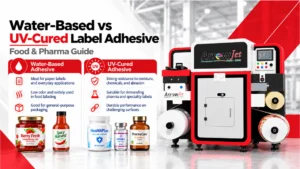
Water-Based vs UV-Cured Label Adhesive: Food & Pharma Guide
Table of Contents Water-Based vs UV-Cured Label Adhesive: Food & Pharma Guide Water-based adhesives suit dry, ambient containers; UV-cured hot melts suit cold, wet, curved
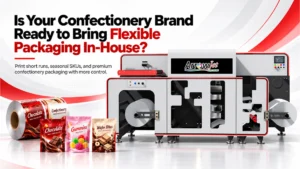
Is Your Confectionery Brand Ready to Bring Flexible Packaging In-House?
Table of Contents Is Your Confectionery Brand Ready to Bring Flexible Packaging In-House? In-house flexible packaging pays off for confectionery brands with many SKUs, short