Label Converter Finishing Capacity: Adding Blade and Laser Lines
Table of Contents Label Converter Finishing Capacity: Adding Blade and Laser Lines Label converter finishing capacity falls short from volume, job mix, or both. Diagnose
Label converter finishing capacity falls short from volume, job mix, or both. Diagnose which one before adding a blade or laser line.
Most finishing backlogs trace back to a volume constraint, a job-mix constraint, or both, and each one calls for a different second line.
This guide is for production, operations, and plant leaders at label converting shops where printed rolls stack up beside the finisher at shift end while the press runs ahead. It covers three diagnostic signals, how to measure each one, and how a blade and laser pairing separates repeat work from short-run and custom-shape jobs.
Volume constraint
The total finishing hours your work requires exceed the shift time available. Every job type waits roughly equally, and the finisher runs flat out.
Job-mix constraint
Total finishing hours may look manageable, but the wrong jobs compete for one machine. Long repeat runs block short rush orders, custom shapes wait on dies, and changeovers eat into production time.
Constraint | What you see | Second line that usually fits |
Volume | Finisher fully loaded; delays spread evenly across all job types | A duplicate or comparable machine that adds more of the same capacity |
Job mix | Short-run, sample, and custom-shape jobs wait much longer than repeat jobs | A complementary technology, so each job runs on the method that suits it |
Both | Finisher fully loaded and certain job types wait far longer than others | A complementary line plus written routing rules that balance load across both lines |
Treat the second finisher as a finishing capacity planning decision, not a feature comparison. The question is not which machine is better. The question is which constraint you are paying for every week.
If printed rolls wait at the finisher at the end of most shifts while the press runs ahead, finishing is the bottleneck.
What it looks like
How to measure it
Track three numbers weekly for at least a month: press output hours, the finishing hours required to convert that output, and the count of WIP rolls waiting at shift end. Also calculate finishing line utilization.
Finishing line utilization
Finisher run hours divided by available hours in the same period. A finisher running at 95% utilization has almost no slack to absorb a rush job or a long changeover.
Illustrative example
Suppose the press produces 50 hours of printed work per week, that work needs 62 hours of finishing, and the finisher runs at 95% utilization. In that case, finishing is clearly the constraint. These figures are hypothetical, so substitute your own.
What it implies
If the gap is consistent and delays spread across all job types, you have a converter finishing throughput problem, and adding comparable capacity is a reasonable path. If the gap appears mainly around certain job types, check Signal 2.
When rush, sample, and custom-shape jobs miss ship dates even in average-volume weeks, the bottleneck is job mix, not raw hours.
What it looks like
How to measure it
Tag each job by type: repeat, short-run, sample, or custom shape. For each tag, log the queue time from print completion to finishing start, the die wait days for jobs that need new tooling, and the number of changeovers per shift.
Illustrative example
Repeat jobs might wait half a day while custom-shape jobs wait three or more days, mostly for dies. That pattern suggests the bottleneck is not raw hours. These numbers are illustrative only.
What it implies
This is a job-mix bottleneck. A second identical die-based machine adds hours, but it does not remove die lead time or changeover burden. Many converters find a complementary job mix finishing technology works better here, with a dedicated line for the work that keeps getting bumped. This signal applies most to shops whose current finisher depends on physical dies.
Declined quotes, rework, and hard-to-tool contours on the same materials point to a cutting-method mismatch, not missing hours.
What it looks like
How to measure it
For each declined, reworked, or rejected job, log the substrate, the shape complexity, and the reason. Review the log monthly. If the same materials or contours keep appearing, your current cutting method is limiting the work you can accept.
What it implies
Extra volume capacity will not fix a method mismatch. You need a second cutting approach, validated on those exact materials.
Five checks sort a finishing backlog into a volume constraint, a job-mix constraint, or both.
Check | Points to |
Finishing hours regularly exceed press output hours. | Volume constraint |
Printed WIP rolls are waiting at the end of most shifts. | Volume constraint |
Short-run and custom-shape jobs wait noticeably longer than repeat jobs. | Job-mix constraint |
Die lead time is delaying quotes or ship dates. | Job-mix constraint |
Jobs are declined or reworked because of substrate or shape. | Job-mix constraint (cutting method) |
If most of your checks fall in the first two rows, you likely have a volume constraint. If most fall in the last three, you likely have a job-mix constraint. A mix of both is common, which makes the second label finisher decision as much about routing as about equipment.
A blade and laser pairing routes each job by run length, shape, and tooling status to the method that suits it.
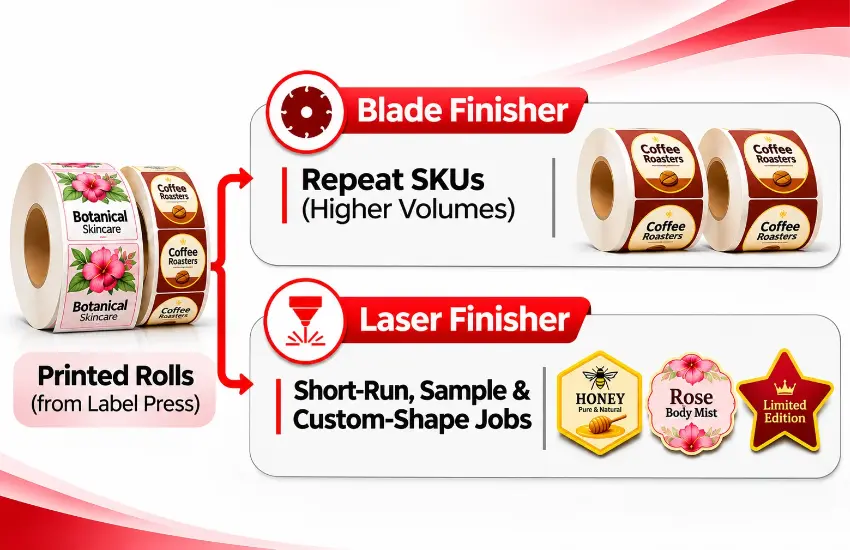
Running a die cutter and laser cutter together lets you route each job to the method that fits it. Long repeat SKUs with standard shapes go to the blade finisher. Variable, short-run, prototype, sample, and complex-contour work goes to the laser finisher, because laser cutting needs no physical die and changes cut paths in software.
Job type | Run length | Shape | Recommended method |
Repeat SKU, proven shape | Long | Standard | Blade |
Repeat SKU, new shape | Long | Standard or moderate | Blade once the shape is proven or tooled; laser in the meantime |
Short-run or rush | Short | Any | Laser |
Samples and prototypes | Very short | Any | Laser |
Complex contours | Short to medium | Intricate | Laser, after a substrate test |
Variable shapes within one job | Any | Mixed | Laser |
Blade finishing
Blade finishing is efficient and predictable for repeat work with standard shapes. On die-based lines, each new shape brings die cost and lead time. Digital blade cutters cut from saved files instead of physical dies, but the knives are still consumables that need replacement.
Laser finishing
Laser finishing removes die lead time, which makes it attractive for short runs and samples. Speed still varies with label size and cut complexity. Not every substrate cuts equally well with a laser, so plan for media testing and fume extraction.
Running blade and laser lines together reduces single-point-of-failure risk. Many standard shapes can run on either machine, so if one line is down for maintenance, overlapping job types can shift to the other and shipments do not stop entirely. For finishing redundancy, a converter should identify those overlapping job types in advance, not on the day a line goes down.
The pairing only pays off if jobs consistently land on the right line. Build routing rules into your scheduling, either as a written standard procedure or as scheduling automation that assigns jobs by run length, shape, and tooling status. Clear rules keep operators running production instead of making ad hoc decisions at the cart.
One two-line setup pairs a digital blade cutter for repeat work with a laser finisher for short-run and custom-shape jobs.
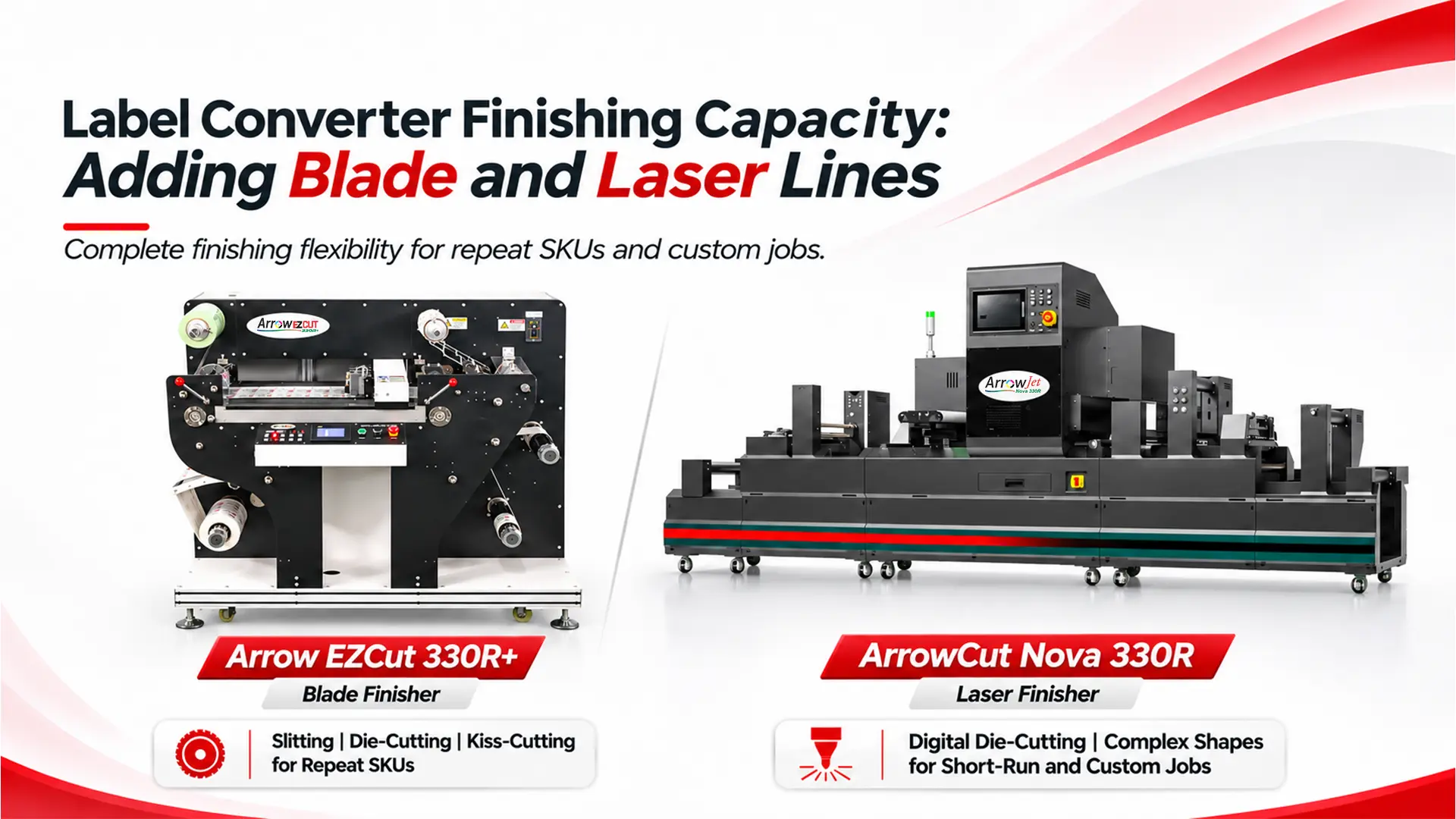
The following configuration from Arrow Systems, a manufacturer of digital label printing and label finishing equipment, shows how a two-line setup could split work. It is one example of the routing logic above, not a prescription.
Arrow EZCut 330R+: blade line for repeat SKUs and standard shapes
The Arrow EZCut 330R+ is a flatbed and roll-to-roll hybrid digital blade die cutter, manufacturer-rated at 150 cuts/min with ±0.1 mm cutting accuracy and label widths up to 350 mm. One-click repeat cutting reruns saved jobs without reprogramming, which suits repeat SKUs. Cold lamination, automatic matrix removal, and slitting run on the same machine. Because the EZCut 330R+ cuts from PLT files rather than physical dies, new standard shapes do not wait on tooling.
ArrowCut Nova 330R: laser line for short-run, sample, and custom-shape work
The ArrowCut Nova 330R is a roll-to-roll laser finisher with a 150 W CO₂ galvano laser and a 13.7-inch web width, manufacturer-rated at up to 10,000 labels/hr after setup. It performs split, full, and kiss cuts, perforation, hatching, etching, and marking, and it laminates, removes matrix, slits, and rewinds inline. It suits short-run, sample, variable, and custom-shape work without dies.
Taurus Laser Finisher: higher-power laser alternative
The Taurus Laser Finisher uses a 350 W sealed CO₂ laser and is rated at up to 30 m/min (TRS35PL) or up to 70 m/min (TRS35PL-PLUS) on webs from 50 to 350 mm. It supports kiss cuts, full cuts, perforation, and engraving. A water chiller and fume extractor are required, and media testing is recommended. Evaluate it alongside the Nova 330R based on your volume and material needs.
Arrow EZCut 350R: higher-throughput blade option when volume is also a constraint
For shops where Signal 1 shows a volume constraint on repeat work as well as a job-mix problem, the Arrow EZCut 350R is a roll-to-roll multi-blade cutter with 4 cutting heads as standard (up to 6), manufacturer-rated at 9 m/min on a 7 × 15 cm label, with slitting up to 100 m/min and labels up to 330 mm wide. A CCD camera reads printed marks to change cutting jobs automatically, and inline sheeting is optional. It takes the blade side of the pairing in place of the EZCut 330R+ when repeat SKUs run at higher volume.
Machine | Cutting method | Manufacturer-rated speed | Width | Best-fit work in this pairing |
Arrow EZCut 330R+ | Digital blade, 2 heads standard (up to 4) | 150 cuts/min | Labels up to 350 mm wide | Repeat SKUs and standard shapes |
ArrowCut Nova 330R | 150 W CO₂ galvano laser | Up to 10,000 labels/hr | 13.7-inch web | Short-run, sample, variable, and custom-shape work |
Taurus Laser Finisher | 350 W sealed CO₂ laser | Up to 30 m/min or 70 m/min by model | 50–350 mm web | Laser work where higher laser power suits the volume or material |
Arrow EZCut 350R | Digital blade, 4 heads standard (up to 6) | 9 m/min on a 7 × 15 cm label | Labels up to 330 mm wide | Repeat SKUs at higher volume |
In this configuration both lines are die-free, so the split comes down to shape complexity, cut types, and changeover pattern rather than die lead time. All four machines handle 13-inch-class webs, which is what lets standard shapes move between the blade and laser lines for redundancy.
Rated speeds are not planning numbers; real-world throughput depends on label size, shape, substrate, and job settings. Confirm specs against Arrow’s spec sheets and your own application before planning capacity around them.
Measure for a few weeks, sort jobs by type, and let the data decide whether you need more capacity or a different method.
Step 1: Measure finishing load against press output
Track press output hours, finishing hours required, WIP rolls at shift end, and finishing line utilization weekly for at least a month. If finishing hours outrun press hours across all job types, you have a volume problem, and comparable capacity may solve it.
Step 2: Tag every job by type and log queue time
Label each job as repeat, short-run, sample, or custom shape, then compare queue time, die wait days, and changeovers per shift. If short-run and custom-shape jobs are the ones waiting, you have a job-mix problem, and a blade-plus-laser pairing often fits better.
Step 3: Log declined and reworked jobs by substrate and shape
Repeated materials or contours in the log show where your current cutting method limits the work you can accept, and which substrates the second method must handle.
Step 4: Write routing rules and test on your own materials
Many shops have both constraints, which makes clear routing rules as important as the equipment itself. Map your jobs to the routing table, then request sample cuts on your own substrates and label shapes before committing to a configuration.
Common questions from converter production and operations leaders planning a second blade or laser finishing line.
It depends on the constraint. If the current finisher is fully loaded with similar work and delays spread evenly across job types, a duplicate machine adds throughput and keeps training simple. If short-run, custom-shape, or die-dependent jobs are the ones waiting, a complementary technology such as a laser finisher usually addresses the delay more directly.
For some shops a laser finisher covers most work, but many converters find a die-based blade finisher stays more efficient for long repeat runs with tooling already paid for. Laser cutting removes die lead time and suits variable shapes, but its speed depends on label size and cut complexity, and some substrates cut better one way than the other. Test on your own materials before deciding.
Track press output hours against finishing hours required, the number of printed rolls waiting for finishing, and finisher utilization per shift for several weeks. If finishing hours consistently exceed press hours and WIP grows while the press idles, finishing is the constraint. If the press is always busy and the finisher waits for rolls, look upstream at printing.
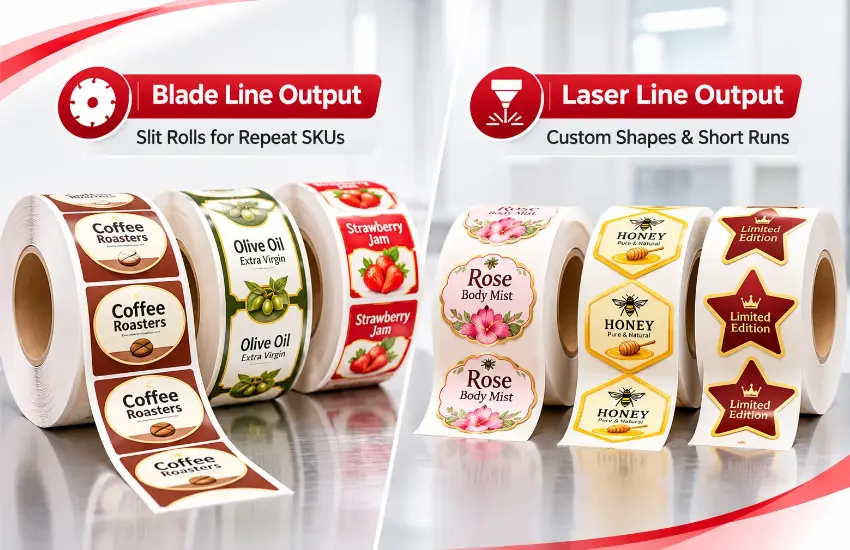
If your finishing line is falling behind the press, Arrow Systems offers a structured finishing capacity review for converter production and operations leaders.
Share your job mix, typical run lengths, substrates, and press-to-finisher hours, and Arrow’s team will map which work fits the EZCut 330R+ and which fits the ArrowCut Nova 330R or Taurus. As part of the review, request a sample cut on your own materials and label shapes to confirm the configuration before you commit.
Table of Contents Label Converter Finishing Capacity: Adding Blade and Laser Lines Label converter finishing capacity falls short from volume, job mix, or both. Diagnose
Table of Contents Confectionery Packaging Capacity Planning: Use Q4 Data for ROI Confectionery packaging capacity planning works best on cost data logged during Q4 peak,

Table of Contents Gold Foil Labels Digital Printing: Foil Effects Without Stamping Digital presses create gold foil label effects by printing on pre-metallized PET film
Table of Contents Label Press Throughput Calculation: Rated Speed vs. Real Output A label press throughput calculation turns rated speed into realistic labels per shift,

Table of Contents Seasonal Coffee Label Printing: Holiday Runs on One Press Seasonal coffee label printing works best when every Q4 label runs on one
Table of Contents Primer and Varnish Stations: Inkjet Label Press Spec Guide Primer and varnish stations prime film before inkjet printing and protect it after,