Color Label Printer Benefits: A Practical Guide for Businesses
Table of Contents Color Label Printer Benefits: A Practical Guide for Businesses A color label printer gives businesses on-demand control over label production — from
A color label printer gives businesses on-demand control over label production — from printing a proof in minutes to running short batches for new SKUs without waiting on an outside supplier. The benefit is not only color output; it is the ability to print the right label at the right time, especially in operations where designs change frequently or multiple product variations are active simultaneously.
Basic identification labels can be handled with simple black-and-white or thermal printing. Product labels are different — they require full-color artwork, gradients, brand colors, multiple design versions, and often small text at high resolution.
A color label printer gives businesses a way to produce those labels internally. That is useful for product testing, limited releases, seasonal packaging, and sample approvals — situations where waiting on an outside supplier adds lead time that the project cannot absorb.
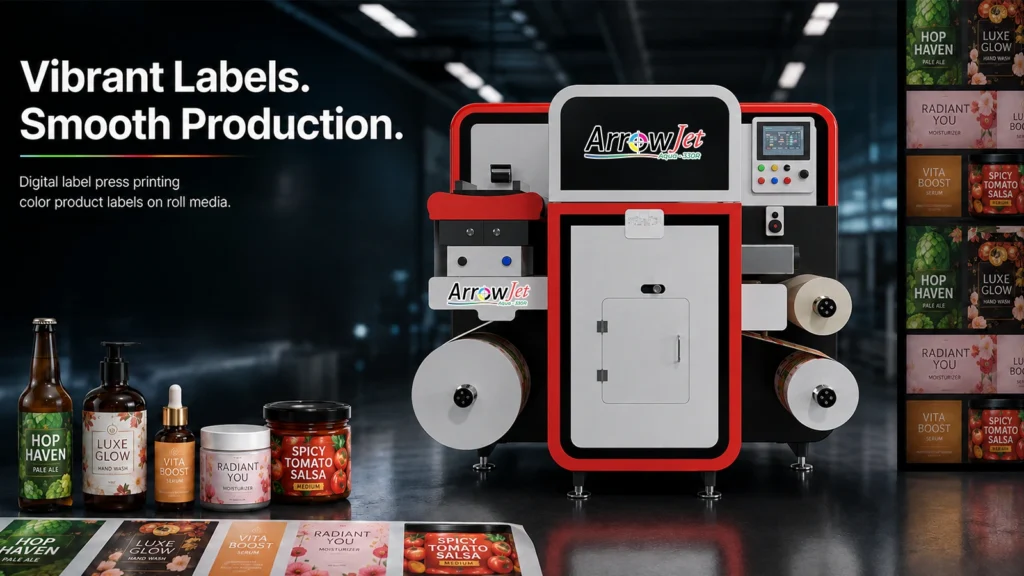
Production-grade digital inkjet label presses are built specifically for this level of output. The ArrowJet Aqua 330R, for example, prints at up to 1600 x 1600 dpi using CMYK pigment ink on a wide range of label substrates including paper, BOPP, PET, and PVC — giving operators the image quality needed for brand-grade label production without sending jobs to an outside printshop.
For businesses that are earlier in the process — moving off desktop printing but not yet ready for a high-throughput industrial system — the ArrowJet Eco 330R is a compact single-pass digital press designed for that step up. It runs on single-phase power without an air compressor, keeping installation and operating costs lower while still delivering 1600 x 1600 dpi output and up to 324 mm print width for a broad range of label formats.
Explore Arrow’s full range of ArrowJet digital label printers to compare configurations by print width, speed, and substrate compatibility.
Ordering labels from a supplier involves proofing, scheduling, production, and shipping. In-house printing shortens that loop for jobs that require iteration.
Instead of waiting on an external sample, an in-house team can print a proof, check color accuracy and layout registration, make adjustments in the artwork file, and reprint within the same day. That capability is most valuable when packaging is still being finalized — for new product launches, reformulations, or seasonal design updates — or when multiple product variations need simultaneous review.
The practical result is fewer revision cycles at the final production stage and less risk of committing to a large label run before the artwork is fully approved. It also gives procurement more flexibility: smaller, more frequent orders to match actual production needs rather than large upfront buys sized to justify supplier minimums.
Modern digital label presses are designed for in-house operation by trained operators, but maintenance is not optional. Ink system management, printhead cleaning, media calibration, and routine servicing all affect output quality and equipment longevity.
Before committing to a press, operations teams should understand what daily and weekly maintenance the specific technology requires. Key questions include:
Printhead care
How often do printheads require cleaning or replacement, and what is the procedure? Neglected printheads affect color accuracy and consistency across a run.
Ink system management
Does the press use cartridges, bulk tanks, or a hybrid configuration? What is the shelf life of open ink, and what happens if a press sits idle for extended periods?
Media calibration
Does the press require recalibration when switching between substrates or label widths? How long does that process take, and does it require operator training?
Service intervals
What scheduled service does the manufacturer recommend, and is that handled by an Arrow technician or by the in-house operator?
A low-friction maintenance routine keeps output predictable and reduces unplanned downtime. This is part of the total cost of ownership calculation — not just the purchase price.
Digital printing makes short runs and multiple label versions cost-effective in ways that offset printing cannot match at low quantities.
A business can print labels for each product variation, test a seasonal design, create a limited run for a specific retail channel, or update packaging following a formula change — without scrapping a warehouse of pre-printed labels that are now out of date. There are no plate charges, no minimum order quantities, and no lead time driven by supplier scheduling.
That flexibility has real operational value in categories where packaging changes frequently. Food and beverage producers responding to new allergen declarations, nutraceutical brands updating supplement facts panels, and cosmetic companies managing regional labeling variations all benefit from being able to print smaller quantities matched to actual production runs rather than forecasted demand.
Pre-press sampling is also faster. Before a label run begins, operators can verify that colors are correct and registration is accurate using a short test print rather than waiting for a supplier proof to arrive. That reduces waste at the start of each production run and removes a common source of delay.
Matching a press to your actual workflow requires evaluating several factors beyond headline print speed or resolution. Use the following criteria as a pre-purchase checklist.
Print quality required for your brand
What resolution and color accuracy does your label artwork require? High-detail graphics, gradients, and spot color matching demand higher dpi and color-managed ink systems.
Monthly volume and peak demand
Understand your typical monthly label volume and your peak demand periods. A press rated for average throughput may create bottlenecks during seasonal production spikes.
Label width, roll size, and media compatibility
Check that the press handles your label dimensions and the substrate types you use — paper, BOPP, PET, PVC, or specialty films. Media width and maximum roll OD affect what can be run without job splitting.
Ink or toner durability for the end use
Labels for food and beverage, personal care, or industrial applications are exposed to moisture, oils, UV light, and abrasion. Ink durability requirements vary significantly by end-use environment.
Operator time and maintenance expectations
What does the maintenance routine look like day-to-day? How much operator training does the press require, and is that training available from the manufacturer or distributor?
Finishing needs — cutting, lamination, varnish
The press itself produces a printed roll. If you need labels cut to shape, laminated, or varnished, those finishing steps require additional equipment. Evaluate finishing requirements at the same time as the press — not as a follow-on decision.
Arrow Systems manufactures digital label printing equipment under the ArrowJet brand for in-house label production. Explore the full product range or contact the Arrow team to discuss your label production requirements, media types, and volume needs.
The main benefits are design flexibility, faster iteration between proof and final print, cost-effective short-run production, and on-demand control over label versions. Businesses can update packaging without scrapping pre-printed inventory, test seasonal designs before committing to full runs, and approve samples without waiting on an outside supplier.
Many industrial digital color label printers are built specifically for high-resolution graphics including gradients, photos, and fine type. Output quality depends on the printer’s resolution and ink system, the media being used, and how the artwork is prepared. Production-grade digital inkjet systems such as the ArrowJet Aqua 330R print at up to 1600 x 1600 dpi, which is sufficient for most brand-quality label artwork.
Maintenance requirements depend on the printing technology. Digital inkjet systems require regular attention to printhead cleaning routines, ink system checks, media handling calibration, and periodic operator training. Most modern industrial label presses are designed for in-house operation by trained staff, but the maintenance schedule should be reviewed before purchase to understand the time and consumable costs involved.
Key evaluation factors include: the print quality your brand requires, monthly and peak production volumes, media width and roll compatibility, ink durability for the end-use environment, operator time and maintenance expectations, and finishing needs such as die cutting, lamination, or varnish. Matching the press to your actual workflow requirements prevents both under-buying and over-buying.

Table of Contents Color Label Printer Benefits: A Practical Guide for Businesses A color label printer gives businesses on-demand control over label production — from

Table of Contents Cosmetic Label Adhesion Problem: Bubbling and Lifting on Glass Cosmetic label bubbling and label lifting on glass trace to four variables: surface

Table of Contents Label Adhesive Types: Permanent, Removable, and Freezer-Grade Label adhesives fall into three working classes — permanent, removable, and freezer-grade — matched to

Table of Contents How to Print Your Own Product Labels: A Practical Guide Printing product labels in-house gives businesses control over run length, turnaround time,

Table of Contents Laser Die-Cutting vs. Rotary Die-Cutting: Which Fits Your Label Operation? Laser die-cutting uses digital cut files with no physical tooling — rotary

Table of Contents Direct Thermal vs. Inkjet Supplement Labels: GMP Durability Compared Pigment inkjet resists heat, UV, and moisture better than direct thermal, keeping supplement