What Is Flexible Packaging? Formats, Materials, and Digital Printing
Learn how flexible packaging is used, how pouches and rollstock differ, which barrier and seal questions matter, and where digital printing fits.
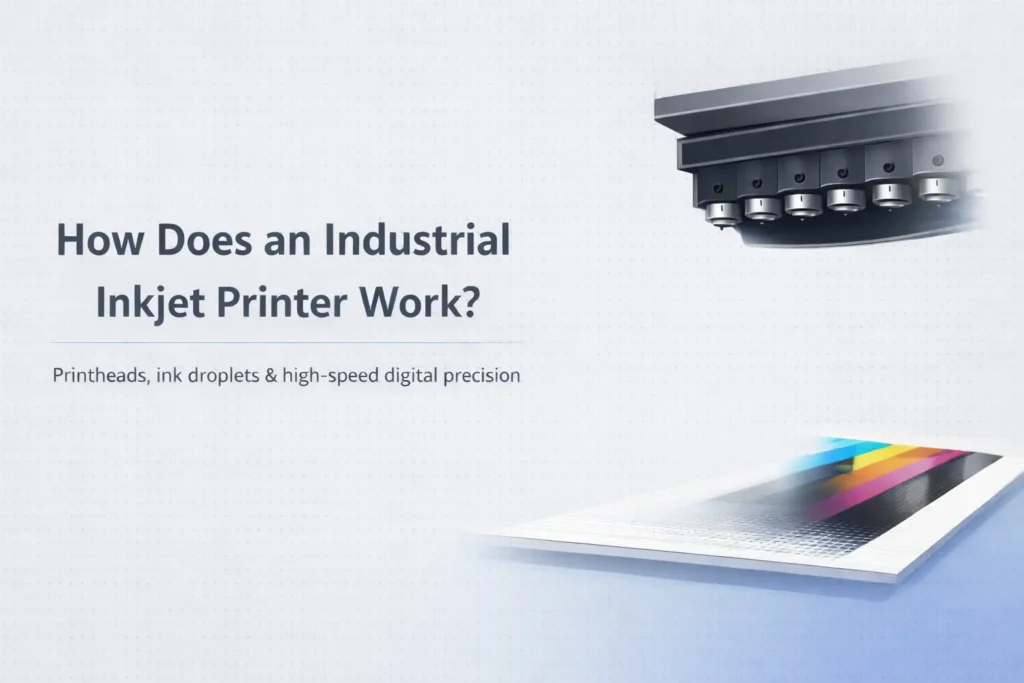
An industrial inkjet printer turns digital image data into precisely timed droplets ejected through printhead nozzles onto a moving or stationary substrate. The printhead does not need to touch the material. A complete system also controls ink delivery, substrate transport, printhead maintenance, data processing, drying or curing, and inspection.
A raster image processor converts artwork into information the printer can use for each color channel and nozzle location. The controller synchronizes droplet ejection with substrate position. Ink supply components maintain the required flow and pressure, while cleaning and capping routines help keep nozzles usable.
The visible image is the combined result of drop placement, drop size, substrate absorption or surface energy, color separation, and motion accuracy. A nominal resolution number cannot describe all of those interactions.
In scanning inkjet, a carriage moves one or more printheads across the print area, often making multiple passes. In single-pass printing, a fixed print bar spans the print width while the substrate moves underneath. Single-pass architecture can support higher continuous throughput, but it also demands accurate web transport and reliable nozzle performance across the width.
Arrow’s current industrial digital label printer range includes single-pass production systems. Published speeds apply under stated conditions; finished throughput depends on mode, material, drying, quality limits, and downstream handling.
Thermal inkjet uses rapid heating in a chamber to create the pressure event that ejects a droplet. Piezoelectric inkjet uses deformation of a piezoelectric element to generate pressure. The printhead and ink are engineered together, so ink should never be substituted based only on color or viscosity.
After deposition, water-based and solvent-based inks typically rely on evaporation and absorption to varying degrees; UV-curable ink is cured with appropriate radiation. Drying or curing must match coating, web speed, ink coverage, and the next process step.
| Decision point | What to check | Why it matters |
|---|---|---|
| Application | Container, environment, label size, application method | Determines material and handling |
| Job mix | Quantity by SKU, revisions, peak demand | Shapes capacity and economics |
| Media | Face stock, adhesive, liner, roll format | Affects print, dispensing, and use |
| Output | Color, variable data, durability, finish | Defines acceptance testing |
Start with the container and use environment, not a printer model. Record the finished label dimensions, roll orientation, core size, maximum roll diameter, unwind direction, and whether labels will be applied by hand or by an applicator. Add the expected quantity by SKU and the peak quantity, not only the monthly average.
Material selection must reflect real exposure. Paper may be suitable for dry indoor use, while films are often considered for moisture, abrasion, refrigeration, oils, or repeated handling. Adhesive choice depends on the container surface, temperature at application, service temperature, curvature, and whether removal or permanent bonding is required. Test the complete construction on the actual package.
Define who owns the approved artwork, how revisions are named, and which elements may change. Keep fonts, linked images, bleeds, cut paths, and spot colors under version control. Variable fields such as lot codes, dates, serial numbers, or regional text need a verified data source and a proofing step before production.
Color expectations should be established with printed samples on the intended stock. A monitor cannot predict how ink, coating, surface color, and finish will interact. Keep an approved physical reference when repeat appearance matters, and recheck output after changes to media, ink, software, or maintenance.
Run a representative pilot that includes the hardest artwork, smallest text, densest barcode if applicable, widest ink coverage, and every important material. Inspect print, drying or curing, cutting, winding, application, and performance after realistic storage and handling. A successful image at the printer is not enough if the roll will not dispense or the label fails in use.
Document settings and acceptance criteria after the test. Train more than one operator, define routine cleaning, and set aside a process for quarantining questionable output. These basic controls make on-demand production repeatable instead of dependent on one person remembering the last successful setup.
A printed web is not a finished label program. Review label finishing options when cutting, lamination, matrix removal, slitting, or rewinding is required. Confirm service coverage, operator training, spare parts, software, and material sourcing before treating a demonstration as a production plan.
Bring a written acceptance sheet to the demonstration. Ask the supplier to run your approved artwork on the intended material, at a production-relevant setting, while your team observes setup and changeover. Record usable output, waste, operator actions, cleaning, material handling, and any finishing steps. Confirm which specifications depend on optional modules, software, coatings, or facility conditions.
Before approving equipment or a new outsourced workflow, request the current written quotation, configuration, warranty, training plan, installation responsibilities, service response terms, consumable assumptions, and sample signoff. Identify who will qualify new materials and troubleshoot color, adhesion, transport, or cutting problems. A controlled demonstration answers more than a generic sample or headline specification because it tests the complete path your team expects to operate.
The inkjet printhead ejects droplets without contacting the print surface, although transport components guide the substrate.
A fixed print bar spans the print width while material moves underneath, allowing the image to be produced in one pass through the print zone.
Possible causes include nozzle blockage, air, ink delivery problems, contamination, data issues, or printhead damage; diagnosis is system-specific.
No. Ink chemistry and physical properties must be qualified for the printhead, fluid path, substrate, drying or curing, and application.
Print mode, width, coverage, substrate, drying or curing, maintenance, quality acceptance, finishing, and operator workflow all contribute.
Talk with Arrow Systems about your application, materials, production goals, and the equipment options that may fit.

Learn how flexible packaging is used, how pouches and rollstock differ, which barrier and seal questions matter, and where digital printing fits.

Compare laser and analog label finishing by tooling, changeovers, materials, run length, quality, workflow, and total cost before selecting equipment.

Table of Contents Arrow Systems to Exhibit at LOUPE Americas 2026 Chicago, IL — Arrow Systems Inc. will exhibit at LOUPE Americas 2026, taking place

Table of Contents Overlaminate vs. Varnish Labels: How to Choose Protection Film overlaminate protects against immersion, wash-down, and solvents; UV and aqueous varnish suit retail

Table of Contents Digital Label Printers for Stickers and Labels: How to Choose the Right Press The right printer for stickers and labels depends on

Table of Contents Blade vs. Laser Label Die Cutting: Accuracy, Speed, and Cost per Label Blade die-cutting suits simple shapes and long runs; CO2 laser