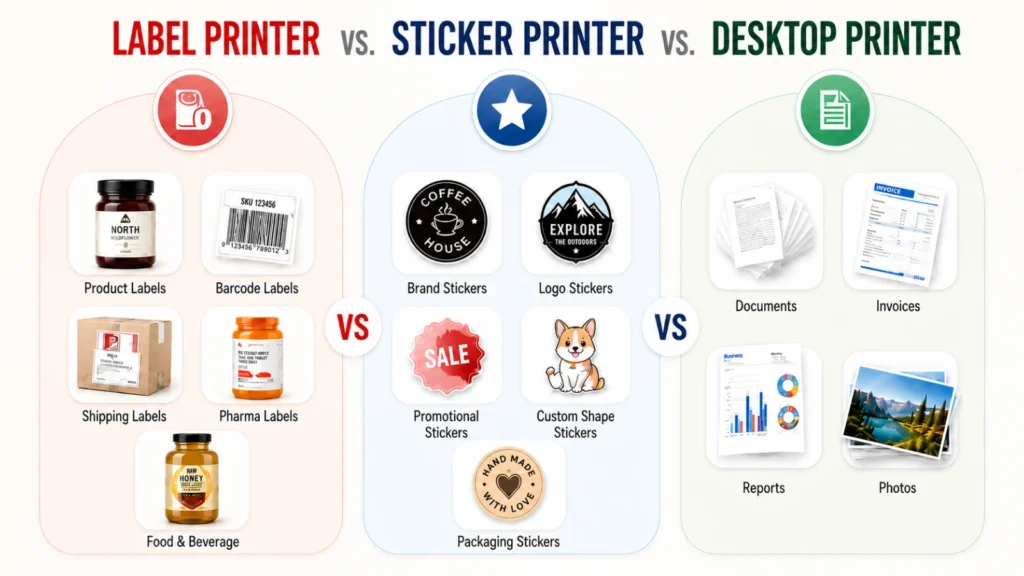
Label Printer vs. Sticker Printer vs. Desktop Printer

Table of Contents

Label Printer vs. Sticker Printer vs. Desktop Printer: How to Choose

Choosing the right label printing equipment depends on six factors: what you need to print, how much, how complex the artwork is, what shape the label must be, how durable it needs to be, and your budget.

Key Takeaways

  • Desktop printers are adequate for basic office or shipping labels but are not suited for retail product labels, roll-based production, or specialty substrates.
  • Volume is the single most important buying signal: low monthly quantities may support a compact system; high or growing volumes require a production-grade press.
  • Artwork complexity — including color accuracy, fine detail, and white underlay on clear substrates — determines which print technology is suitable.
  • Custom label shapes require a finishing step: blade die-cutters like the Arrow EZCut 350R or laser finishers like the ArrowCut Nova 250R handle this without pre-cut stock limitations.
  • Durability requirements (moisture, chemicals, UV exposure, outdoor use) must be defined before selecting substrates, inks, or lamination.
  • Digital inkjet label presses have no plate charges or minimum order quantities, making them cost-effective for short runs, multiple SKUs, and frequent revision cycles.

Step 1: Define What You Need to Print

The purpose of the label determines nearly every downstream equipment decision — from print technology to substrate to finishing method.

Not all labels serve the same function. A shipping label that gets scanned and discarded has different requirements than a retail product label that must survive a shelf, attract a shopper, and survive transit to the end consumer. Defining the output clearly before evaluating equipment is the fastest way to avoid buying the wrong system.

Promotional stickers and event labels

Short-lived, appearance-focused output. Color quality and shape are usually the primary requirements. Durability needs are low. Often produced in small runs with design variation across SKUs.

Retail product labels

Must meet branding standards, survive handling and shelf conditions, and — depending on the industry — carry regulated information such as ingredient lists, allergen declarations, or GHS hazard symbols. Color accuracy and substrate selection are both important.

Barcode, UPC, and shipping labels

Functional rather than visual. The critical requirement is scan reliability, not aesthetic presentation. Often produced in high volumes using thermal transfer or simple inkjet technology.

Durable product and industrial labels

Must withstand moisture, chemicals, UV exposure, extreme temperatures, or abrasion. Substrate and ink selection are critical. A basic office printer will not produce a label that holds up in a demanding environment.

Step 2: Estimate Your Production Volume

Volume is the single most important factor in equipment selection — it determines whether a compact desktop system is sufficient or whether a production-grade press is needed.

Estimating accurately means calculating weekly, monthly, and annual output across all label SKUs — not just the highest-demand product. Underestimating volume at the buying stage leads to bottlenecks; overestimating leads to purchasing equipment that isn’t utilized.

For businesses producing a few hundred labels per month on a single SKU, a compact entry-level system may be sufficient. For operations managing multiple product lines, seasonal volume spikes, or label revision cycles driven by regulatory or formula changes, a production-grade digital press with no plate charges or minimum order quantities typically delivers a better total cost of ownership.

Step 3: Match the Equipment to Your Artwork

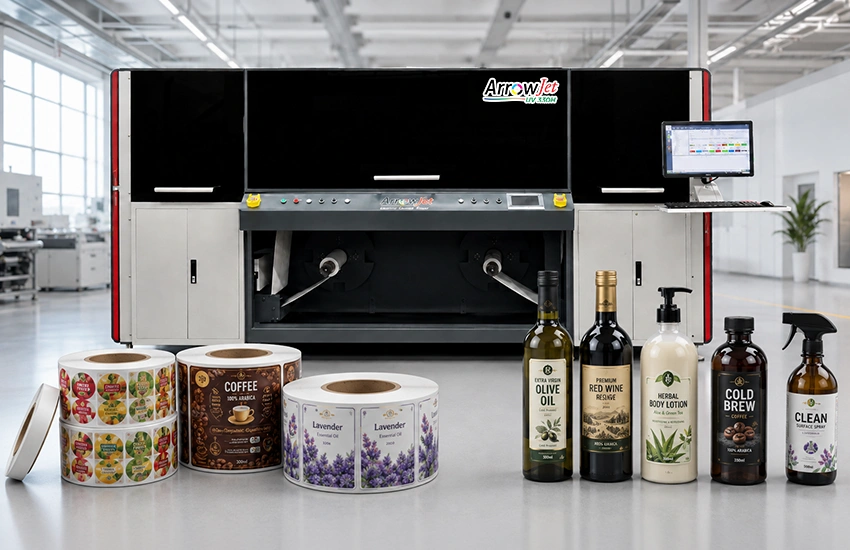
ArrowJet label press printing

Artwork complexity — color range, fine line detail, clear-substrate printing, and special effects — determines which print technology is appropriate for your labels.

Not all printers handle all artwork equally. A label that relies on vivid spot colors, fine text at small sizes, or a no-look clear substrate requires a different level of print capability than a simple two-color barcode label. Before committing to equipment, run the specification of your most demanding label design against the system being considered.

Key artwork variables to assess:

Color gamut and saturation

CMYK digital inkjet produces a wide, consistent color gamut. For labels with brand-critical Pantone colors, request print samples before purchasing. High-speed aqueous inkjet systems deliver vibrant output on coated substrates.

Fine text and detail

Labels with regulatory text, ingredient lists, or fine-line design elements require a printer with sufficient resolution to hold detail at small sizes. Consumer desktop printers often lack the resolution or registration consistency needed for reliable fine-line output on pressure-sensitive media.

Clear substrate and white underlay

Printing on transparent label stock requires a white ink underlay to make colors appear accurately. Standard desktop and inkjet office printers cannot lay down a white ink layer. A professional digital label press handles clear substrate printing with proper opacity and color fidelity.

For labels requiring white underlay on clear substrates or specialty varnish effects, a UV inkjet press such as the ArrowJet UV 330H extends what is achievable in-house.

Step 4: Consider Label Shape and Finishing

Standard rectangular and circular labels work with pre-cut stock; custom shapes require a finishing step — either blade die-cutting or die-free laser cutting.

If your label is a simple rectangle, square, or standard circle, pre-cut label rolls cover that requirement. If your design calls for a more intricate shape — rounded corners, die-cut silhouettes, irregular perimeters — you need a finishing step after printing.

Two finishing approaches are available:

Blade die-cutting finisher

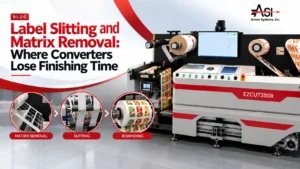
A blade-based finisher such as the Arrow EZCut 350R uses a physical cutting head to die-cut labels from a continuous roll at speeds up to 9 m/min. It handles paper, BOPP, PET, PVC, and sticker stock, and supports cold lamination, waste removal, and precision slitting in a single pass. Well-suited to short and medium production runs where a consistent shape is produced repeatedly.

Die-free laser cutting finisher

A CO₂ laser finisher such as the ArrowCut Nova 250R cuts labels of any shape without a physical cutting die. This eliminates tooling costs and changeover time between jobs. The Nova 250R handles full cuts, kiss cuts, perforations, and etching in a single pass, and is compact enough for office or small production environments. Particularly effective when shape variety is high or when switching between jobs frequently.

Cutting your own labels from continuous roll stock rather than buying pre-cut sheets also reduces material cost per label, since you control exactly how much material is used and how close shapes are nested together.

Step 5: Assess Durability Requirements

Durability requirements — moisture, chemicals, UV exposure, outdoor use — must be defined before selecting substrates, inks, or lamination options.

A promotional sticker displayed indoors for a few weeks has almost no durability requirement. A label on a chemical drum, a refrigerated food product, a beverage bottle in an ice bucket, or an outdoor equipment panel must hold up under specific conditions for the useful life of the product.

Defining durability requirements early prevents two common mistakes: over-engineering a label with expensive materials when a standard substrate performs fine, and under-engineering a label that fails in the field.

Moisture and condensation

BOPP (biaxially oriented polypropylene) is the standard substrate for moisture-exposed labels. It resists water absorption, maintains adhesion on curved surfaces, and holds print quality after condensation or brief immersion. Paper substrates are not suitable for moisture-exposed applications.

Chemical exposure

For labels on containers holding oils, solvents, or aggressive ingredients, polyester (PET) with a chemical-resistant adhesive is the recommended combination. Test the specific chemistry against both facestock and adhesive before qualifying the material for production.

UV exposure and outdoor use

Labels in outdoor environments require UV-stable inks and — in demanding applications — a laminate overlay to protect against fading and abrasion. UV inkjet systems produce more UV-stable output than aqueous inkjet on certain substrates; verify with the equipment manufacturer for your specific application.

Short-term promotional use

Labels displayed on retail shelves or used for in-store promotions typically need to look good for days to weeks, not years. Standard aqueous inkjet on coated paper or matte BOPP is usually sufficient, and lamination is optional.

Comparing Your Options: Desktop vs. Sticker vs. Professional Label Press

The table below compares three printer categories across the six key buying criteria — use it as a quick reference when evaluating options against your specific requirements.

Criteria

Desktop / Office Printer

Consumer Sticker Printer

Professional Digital Label Press

Best use case

Shipping, filing, internal office labels

Promotional stickers, small-batch personal or craft labels

Product labels, retail labels, branded packaging, durable labels at production volumes

Volume capacity

Low — hundreds per month

Low to moderate — limited by sheet or small roll formats

High — thousands to millions per month on roll stock

Artwork complexity

Basic — limited resolution and color consistency

Moderate — better than desktop but inconsistent on demanding artwork

Full — CMYK inkjet with high DPI, consistent color, and white ink support

Custom shapes

No — limited to pre-cut sheet formats

Limited — basic shapes only or sheet-fed cutting

Yes — paired with a blade or laser finisher for any shape

Substrate range

Paper only or limited specialty media

Limited specialty media

Wide — paper, BOPP, PET, PVC, clear film, synthetics

Durability output

Low — not rated for outdoor, chemical, or moisture environments

Low to moderate — basic outdoor sticker use only

High — substrate and lamination selection supports demanding environments

Per-label cost at volume

High at volume — no economy of scale on consumables

Moderate at low volumes; high at scale

Low at volume — no plate charges, low material cost per label on roll stock

Setup and changeover

Instant — sheet-fed

Fast — consumer workflow

Fast — digital files only, no physical plates or tooling required

When to Move to a Professional Digital Label Press

A professional digital label press is the right choice when production volume, artwork quality, substrate versatility, or label durability requirements go beyond what a desktop or consumer printer can reliably deliver.

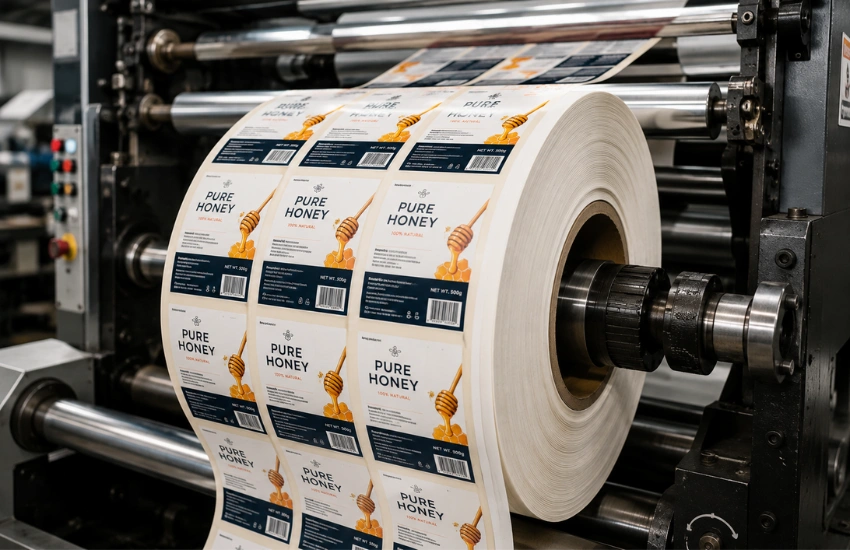
For businesses printing product labels in-house — whether as a brand or as a label converter serving other brands — a dedicated digital label press delivers production-grade output on roll substrates without plate charges, minimum order quantities, or outsourcing lead times.

Two ArrowJet presses cover the primary entry points for professional in-house label production:

ArrowJet Aqua 330R

A high-speed aqueous inkjet label press for roll-based label production. Suited for brands and converters producing product labels, food and beverage labels, cosmetic labels, and other retail-facing applications at production volumes. Prints on BOPP, PET, paper, and a wide range of pressure-sensitive substrates.

ArrowJet Eco 330R

A compact entry-level digital label press designed for businesses stepping into in-house label production for the first time. Delivers professional inkjet print quality at a smaller footprint and lower entry cost than the full production Aqua line — a practical starting point for growing brands moving away from outsourced label supply.

Both systems eliminate the plate costs and minimum order quantities associated with traditional flexographic printing, making them cost-effective for short to medium runs, frequent design changes, and operations managing multiple label SKUs simultaneously.

Step 6: Set a Budget and Build the Business Case

A label press investment should solve a specific business problem — shorter lead times, reduced outsourcing spend, lower waste, or better control over design revisions — not simply add equipment to a facility.

Before setting a budget, define what the system is expected to improve. Clear operational goals translate directly into a business case that can be evaluated honestly. Common drivers for moving to in-house digital label production include:

Shorter lead times

Outsourced label orders typically require days to weeks from artwork approval to delivery. An in-house press produces labels the same day artwork is approved, which is particularly valuable for product launches, seasonal SKUs, or last-minute regulatory updates.

Reduced outsourcing spend

Brands buying labels externally pay a supplier margin on every order. At sufficient volume, the per-label cost on in-house digital is typically lower, and there are no minimum order quantities forcing overbuy on slow-moving SKUs.

Lower inventory waste

Pre-printed label inventory becomes waste when formulas change, regulations update, or a product is discontinued. Printing on demand eliminates this risk entirely — labels are produced when needed, in the quantities needed.

Better design control

In-house printing allows rapid iteration on artwork, color matching, and material choices without waiting for an external supplier. For brands that update packaging frequently or test new designs at retail, this flexibility has real commercial value.

Frequently Asked Questions

Common questions about choosing between a sticker printer, desktop printer, and professional digital label press for business use.

A sticker printer typically refers to a consumer or office device that prints pre-cut sticker sheets or simple pressure-sensitive media. A label printer — particularly a professional digital inkjet label press — is designed for roll-based production, higher volumes, and substrates such as BOPP, PET, or vinyl that can withstand moisture, chemicals, and outdoor exposure. The terms are often used interchangeably by buyers, but the equipment categories differ significantly in output quality, speed, material range, and long-term cost.

A desktop printer can serve low-volume internal labeling needs such as shipping or filing labels. For retail product labels, branded packaging, or anything requiring durability, custom shapes, or consistent color quality at production volumes, a dedicated digital label press delivers better results at lower per-label cost. Desktop printers also lack support for roll substrates, which are standard for most label production workflows.

There is no universal threshold, but businesses producing a few hundred to several thousand labels per month — or managing multiple SKUs with frequent design revisions — typically see a strong return on a dedicated digital label press. Digital inkjet systems have no plate charges or tooling costs, so even modest volumes become cost-effective quickly when compared against outsourced print runs.

A label finisher is useful when you need custom shapes beyond standard rectangles or circles, want lamination to protect against moisture or abrasion, or need to slit rolls to different widths. Blade-based finishers like the Arrow EZCut 350R use die-cutting for precise shapes on short to medium runs. Laser finishers like the ArrowCut Nova 250R cut any shape without physical dies, eliminating tooling costs and changeover time.

Yes. A digital label press such as the ArrowJet Aqua 330R or ArrowJet Eco 330R prints on pressure-sensitive roll stock, which covers both traditional product labels and sticker applications. Paired with a label finisher for custom shapes, the same press and finisher combination handles promotional stickers, product labels, barcode labels, and branded packaging labels in a single workflow.

Ready to explore in-house label production?

Browse Arrow Systems’ digital label presses and label finishing equipment to find the combination that fits your volume, artwork requirements, and substrate needs.