Diagnosing Supplement Label Peeling HDPE Bottle Failures
Table of Contents Diagnosing Supplement Label Peeling HDPE Bottle Failures HDPE label peeling traces to low surface energy, an adhesive mismatch, or moisture exposure —

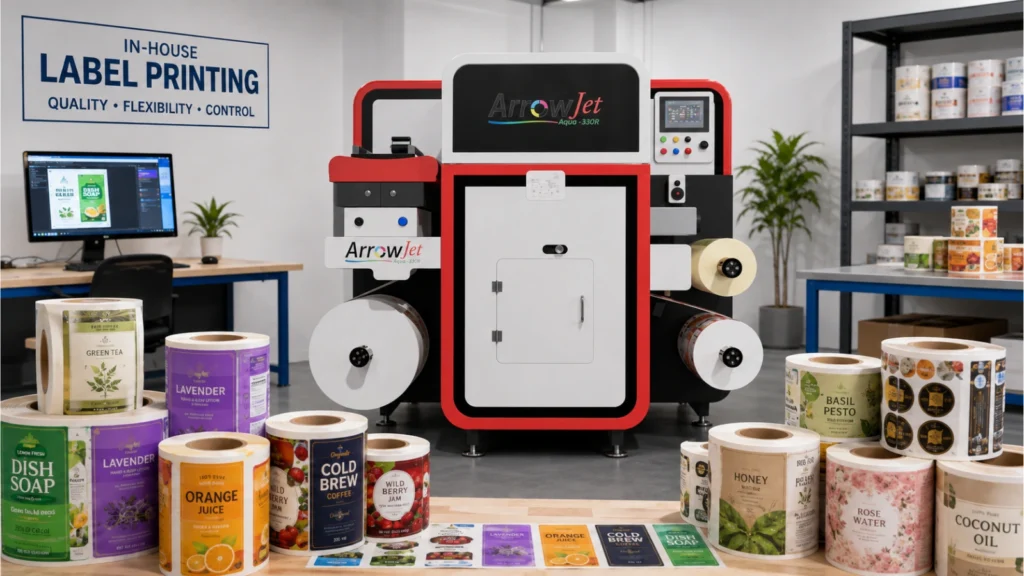
Printing product labels in-house gives businesses control over run length, turnaround time, and cost — but the workflow needs to be planned before choosing a printer. This guide walks through the key decisions: defining what the label must do, selecting the right material, understanding volume requirements, managing variable data, and confirming that your printer and media are compatible before committing to a production run.
A product label must perform in the environment it will actually be used in — defining that environment before selecting a printer or material is the most important step in the whole workflow.
A beverage label must handle condensation and cold temperatures without delaminating or losing adhesion. A cosmetic label faces handling, humidity, and product contact. A cleaning product label may be exposed to chemical splash. An outdoor equipment label needs UV resistance and weatherproofing. A simple pantry food label on a dry, ambient-temperature container has far simpler requirements than any of the above.
The right label system is one that matches the product’s actual use conditions — not one that is generically “good quality.” Before designing a label or evaluating any printer, define the following:
Indoor or outdoor use
Outdoor labels require UV-resistant materials and adhesives that hold through temperature cycling and moisture exposure. Indoor labels on ambient-use products have much lower environmental demands.
Moisture and refrigeration exposure
Labels on cold-fill beverages, refrigerated foods, or pharmaceutical products need film substrates (BOPP or PET) with adhesives tested for low-temperature and condensation conditions.
Abrasion and handling
Labels on products that are frequently handled, stacked, or shipped in bulk need surface-resistant materials or protective lamination to maintain legibility and appearance through the supply chain.
Chemical exposure
Cleaning products, industrial fluids, and personal care items with active ingredients can degrade paper substrates and attack certain adhesive systems. Polyester (PET) with chemical-resistant adhesives is the common specification for these applications.
Container shape and material
Curved, squeezable, or irregular containers place different demands on the adhesive than flat, rigid surfaces. Tapered containers, flexible pouches, and smooth-surface bottles each have specific adhesive and facestock requirements.
Shelf life and storage
Labels that need to survive extended warehouse storage or distribution in variable conditions must be specified accordingly. Short-shelf-life labels used immediately after printing have lower durability requirements than labels applied months before products reach consumers.
Monthly volume and run length are the two most important variables in selecting the right production method — getting these wrong means either overpaying for capability or underbuilding for demand.
Digital label printing is well suited to short-to-medium run production, multiple SKUs, and operations that change label artwork frequently. It requires no printing plates, carries no minimum order quantity, and allows artwork to be updated without additional setup cost. This makes it particularly efficient for businesses managing product lines with regulatory updates, seasonal variants, or many individual product designs.
Conventional flexographic printing becomes more cost-efficient at very high, stable, single-design volumes — typically above 25,000 to 50,000 labels per SKU per run — where the plate setup cost is amortized across a large quantity. Below that threshold, and especially for businesses with more than a handful of active SKUs, digital is generally the more economical option on a total-cost basis.
Also consider the number of different designs you need to produce. A business with ten active label designs and frequent regulatory updates will find digital far more flexible than one with a single, unchanged label running at very high volume. Run-length economics and SKU count together determine which production method fits.
There is no universally best label material — the correct choice depends on product use, container type, application environment, and adhesive compatibility.
Common facestock options for product labels include:
BOPP (Biaxially Oriented Polypropylene)
The most widely used material for general product labels. Water-resistant, dimensionally stable, and compatible with most label containers. Accepts digital inkjet printing well and is available in clear, white, and specialty finishes. A strong default choice for food, beverage, and consumer product labels.
Polyester (PET)
Higher durability than BOPP. Recommended for chemical products, industrial labels, and applications requiring heat resistance, solvent resistance, or long service life. The preferred substrate where chemical or environmental exposure is a concern.
Semi-Gloss Paper
A cost-effective option for dry, ambient-use products — pantry goods, general consumer products, and items not exposed to moisture, heat, or abrasion. Not recommended where durability or moisture resistance is required.
Vellum / Matte Paper
Used for applications where a natural, uncoated appearance is part of the brand. Similar durability limitations to semi-gloss paper. Suitable for dry, ambient conditions only.
Thermal Materials
Designed for barcode, shipping, and compliance label applications. Thermal direct and thermal transfer materials have specific requirements for printer compatibility and should not be confused with general inkjet or laser label stocks.
Vinyl and Specialty Films
Flexible and conformable — suited to curved, textured, or flexible container surfaces. Also used for outdoor and durable applications where standard BOPP would not provide adequate performance.
The adhesive is as important as the facestock. Permanent adhesives, repositionable adhesives, cold-temperature adhesives, and high-tack adhesives all perform differently depending on container material, surface energy, application temperature, and product environment. Always specify adhesive alongside facestock — choosing the wrong one is a common source of label failure in production.
If labels require batch codes, expiry dates, serialized elements, versioned artwork, or any information that changes between runs, confirm that the printer and workflow software can handle this before committing to a system.
Variable data printing — printing unique or changing information on each label or label group — is one of the operational strengths of digital inkjet production. There are no plates to change, and data can be pulled from a database or external source and merged into the label artwork at print time.
However, this only works reliably if the data source, label template, and print workflow are set up correctly. Variable data printing requires compatible RIP software, properly structured data files, and label templates built to accept variable fields without layout errors. Testing this with a sample run before committing to production quantities is essential — errors in variable data can produce large quantities of non-conforming labels quickly.
Operations that require batch traceability, GS1 barcodes, serialized QR codes, or regulated labeling with date-sensitive data should confirm the full variable data workflow — from data source to printed label — before evaluating any printer platform.
Industrial digital inkjet label presses are designed for production-scale in-house label printing — delivering consistent quality across short and medium runs without the plate costs, lead times, or minimum order requirements of conventional methods.
For businesses moving into in-house label production, the most relevant technology is roll-to-roll digital inkjet — a category of purpose-built label presses that print on pressure-sensitive label stock at production speeds, with industrial-grade ink systems designed for adhesive-label materials.
Arrow Systems manufactures a range of digital label printers built for this application. Two models are particularly relevant to in-house production:
The ArrowJet Aqua 330R is a high-speed aqueous pigment inkjet label press using Memjet’s DuraFlex technology. It prints at up to 150 ft/min (45.7 m/min) at 1600 × 1600 dpi resolution on media up to 12.75 inches (324 mm) wide. The system prints CMYK on pressure-sensitive label stock including paper, BOPP, PET, and compatible film substrates, and supports both 2L and 10L bulk ink configurations for longer production runs. It is Nestlé Guidance compliant and supports NIR drying for higher production speeds.
The Aqua 330R is suited to businesses with established label volumes that need production-scale throughput without the plate costs and lead times of conventional printing.
The ArrowJet Eco 330R is a compact industrial digital label press designed for businesses moving from desktop printing into production-scale in-house label manufacturing. It runs on single-phase power, requires no air compressor, and prints at up to 20 m/min at 1600 × 1600 dpi on label stock up to 324 mm wide. The Eco 330R uses cost-efficient CMYK water-based pigment inks and handles paper, BOPP, PET, and inkjet-treated substrates — including flexible packaging materials.
The Eco 330R is designed for converters and in-house teams whose volume has outgrown desktop printers but who do not yet need the full throughput of a larger press.
Different printer technologies require different media — using incompatible materials causes adhesion failures, smearing, feeding problems, and poor durability. Always confirm compatibility between the printer, ink system, label stock, and adhesive before production.
Industrial digital inkjet label presses are designed to work with a specific range of inkjet-treated pressure-sensitive label stocks. The ink chemistry, drying system, and media transport all function together — selecting a substrate that has not been verified for the specific press can produce results that appear acceptable on the surface but fail in application or over time.
Key compatibility checks before production:
|
Check |
What to Verify |
|
Label stock compatibility |
Confirm that the substrate (paper, BOPP, PET, film) is approved for use with the press and ink system. Use the printer manufacturer’s recommended or tested media list where available. |
|
Adhesive compatibility |
Verify the adhesive performs on the specific container material — HDPE, PET, glass, flexible film, or other surfaces — under the expected application and storage temperature conditions. |
|
Ink and surface interaction |
Some substrates require surface treatment (corona or flame treatment) to accept aqueous inkjet inks properly. Confirm ink adhesion on the actual substrate before production runs. |
|
Drying and cure |
Aqueous inkjet inks require adequate drying for the ink to bond properly to the substrate. Confirm drying system settings are appropriate for the stock and production speed being used. |
|
Finishing process |
If labels will be laminated, die-cut, or slit after printing, confirm that the finishing equipment is compatible with the printed stock. Label finishing systems vary in the substrates and laminate types they support — confirm this before finalising media selection. |
Sampling on the actual container and in the intended product environment is the single most effective way to catch label problems before they become production waste.
Proofing a label file on screen tells you very little about how the finished label will perform. A screen proof cannot confirm adhesion on a specific container surface, barcode readability at the scanner distances used in your warehouse or retail environment, material behaviour on a curved or squeezable container, or how the label will look after refrigeration, handling, or transport.
Before committing to a production run, print a full-specification sample — using the actual substrate, adhesive, and ink settings planned for production — and apply it to the actual container. Then evaluate:
Sampling before production is especially important when changing substrates, adhesives, or printer settings — even on a system that has run correctly before. A small change in media specification or ink configuration can produce significant differences in the finished label’s performance.
Yes, but the starting point is defining label requirements — environment, material compatibility, and volume — not choosing a printer. Starting with a clear specification, selecting compatible materials, and printing samples before full production runs will identify problems early and avoid costly waste.
There is no single best material. BOPP is the most widely used option for general product labels. Polyester (PET) is recommended where chemical or heat resistance is required. Paper materials suit dry, ambient-use applications where cost is the priority. The right choice depends on the product environment, container shape, adhesive requirements, and durability expectations.
Digital label printing uses inkjet technology to print directly from a digital file — no plates are needed, minimum order quantities are very low, and artwork can be updated immediately. Traditional flexographic printing requires plates and is more cost-efficient only at high, stable print volumes. Digital is better suited to short-to-medium runs, multiple SKUs, and labels requiring frequent updates.
A sample confirms colour, alignment, barcode readability, adhesion, and material performance before production quantities are printed. Testing on the actual container and in the intended product environment catches problems that cannot be detected from a screen or proof file alone — saving time, material, and finished-product waste.
Digital inkjet label printing is most cost-effective for short-to-medium run production. It is also well suited to operations managing many different SKUs, frequent artwork revisions, or on-demand production needs. Very high-volume, single-design, long-run production may be more economical with conventional flexographic methods at large scale.
Ready to bring label production in-house? Arrow Systems manufactures digital label printing equipment for businesses moving to in-house production — from entry-level presses to high-speed production systems. Contact our team to discuss your label requirements, or browse the ArrowJet digital label printer range.
Table of Contents Diagnosing Supplement Label Peeling HDPE Bottle Failures HDPE label peeling traces to low surface energy, an adhesive mismatch, or moisture exposure —
Table of Contents Roll-to-Roll vs. Sheet-Fed Label Printing: Throughput & Cost Rolls win on cost per applied label with an automatic applicator; sheets win on
Table of Contents Pet Food Brand Label Supplier Problems: 5 Signs to Print In-House Most pet food label supplier problems are a model mismatch: flexo’s
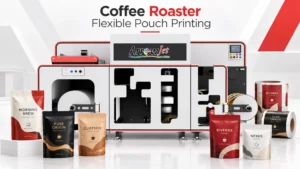
Table of Contents Coffee Roaster Flexible Pouch Printing Workflow: Roll to Bag In-house coffee pouch printing runs five stages — substrate loading, queue setup, the
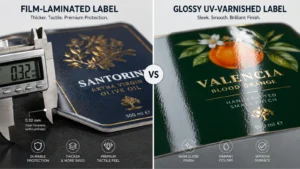
Table of Contents Overlaminate vs. Varnish Labels: How to Choose Protection Film overlaminate protects against immersion, wash-down, and solvents; UV and aqueous varnish suit retail
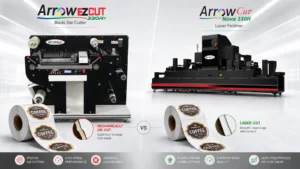
Table of Contents Blade vs. Laser Label Die Cutting: Accuracy, Speed, and Cost per Label Blade die-cutting suits simple shapes and long runs; CO2 laser