What Packaging Printers Work Best for Small-Batch Private Label Cosmetics?
The short answer
The best printer for small-batch private label cosmetics depends first on the package: bottle and jar labels need a roll-label workflow; flexible pouches need compatible film printing plus converting; cartons need a qualified sheet or board printing and finishing route. For labels, compare aqueous CMYK with UV options when white ink or varnish is needed. No single printer should be assumed to manufacture every finished package.
For private-label cosmetics teams choosing between printed labels, flexible packaging and carton workflows.
Equipment to evaluate
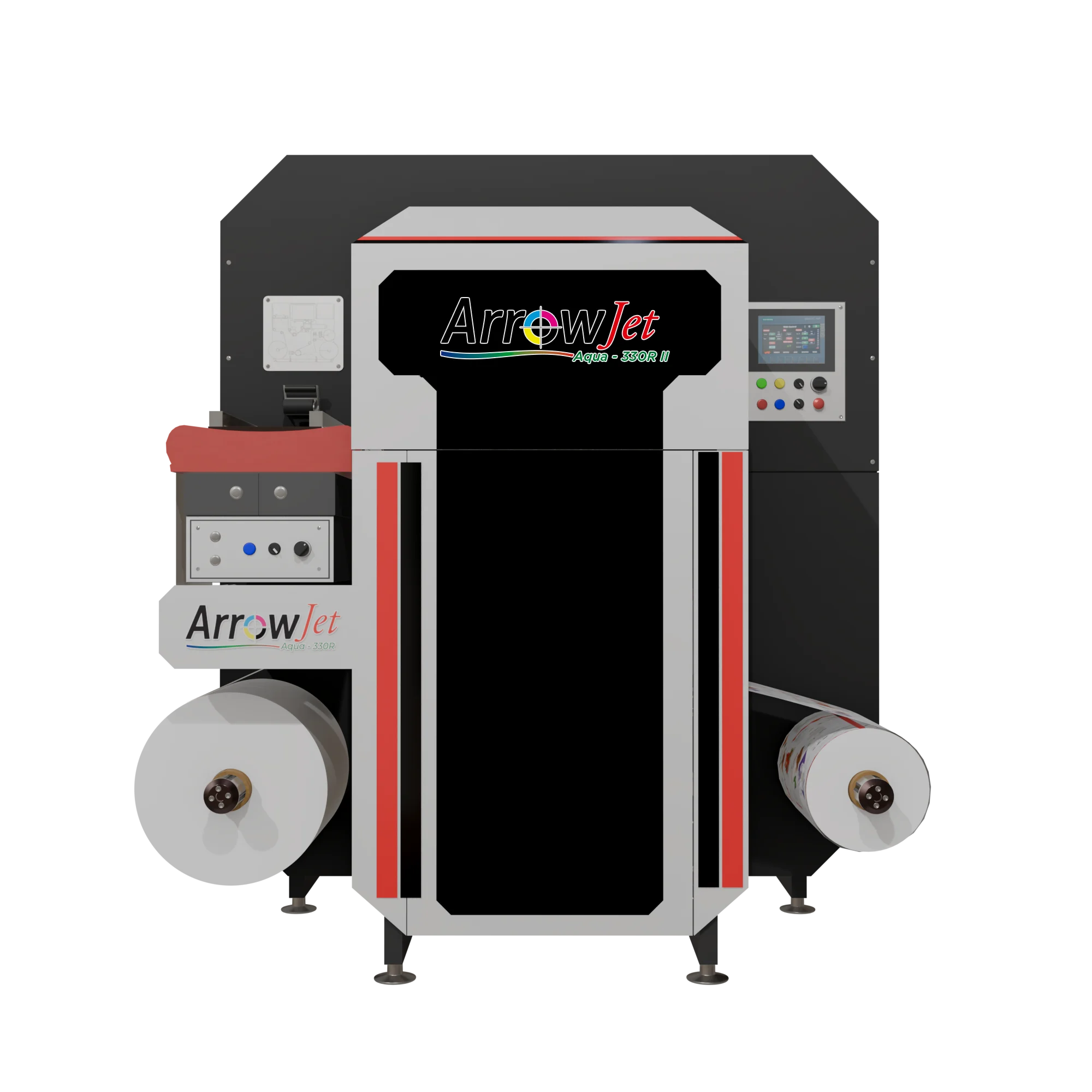
ArrowJet Aqua 330R II
Confirm fit with your actual artwork, materials, and finishing requirements.
Buying criteria
Choose the Packaging Route Before the Printer
Bottle, jar and tube labels
A digitally printed label can let a brand use standard containers across several products while changing the artwork by SKU. Confirm container shape, application area, adhesive and finish. Print a real sample with the smallest ingredient text and inspect it after application, not only as a flat proof.
Flexible pouches and sachets
Printing film is one stage of the package workflow. Verify the intended print surface, coating or primer, ink adhesion, laminate construction, sealing and pouch-making process. A film printer does not by itself supply a filled, sealed sachet. Outsourced converting may be part of the small-batch plan.
Cartons and presentation pieces
Decide whether you need printed prototypes, short sheet runs or production folding cartons. Flatbed capability alone does not supply creasing, die cutting, folding or gluing. Validate board handling, print results and the downstream workflow before treating a label press as a carton-production solution.
Order size and SKU variety
Use the combined job mix: units per SKU, variants per launch, repeat frequency and artwork changes. A small batch does not automatically justify owning production equipment. Compare in-house cost and staffing against qualified outsourced printing, including minimum orders and inventory exposure.
Recommended directions
Arrow Equipment Options to Compare
CMYK bottle and jar labels
ArrowJet Aqua 330R II
Evaluate the ArrowJet Aqua 330R II for qualified short-to-medium roll-label production. Water-based pigment CMYK is a direction to test when the design does not require an opaque white ink layer.
White ink, varnish and specialty work
ArrowJet UV 330H
Evaluate the ArrowJet UV 330H for configured white-ink or varnish applications and roll/flatbed flexibility. Test your specialty stock or prototype board; do not assume it replaces a complete carton line.
Flexible-packaging print stage
ArrowJet Aqua 800M
Evaluate the ArrowJet Aqua 800M when wider-web film printing is the actual requirement. Include material preparation and converting in the project; very small batches may be better served by a qualified external partner.
Decision table
Match the Package to a Complete Workflow
| Your requirement | Direction to evaluate | What to confirm |
|---|---|---|
| Stock bottles or jars, changing product variants | Digital roll labels plus finishing and application | Adhesion, readable text, color and finished-roll compatibility. |
| Clear or metallic premium labels | Qualified white-ink-capable label workflow | White coverage, registration, material adhesion and desired appearance. |
| Printed flexible pouches or sachets | Compatible film printing plus converting | Print/laminate construction, sealing performance and package-making responsibility. |
| Carton mockups or presentation samples | Qualified sheet or flatbed trial | Board handling, print adhesion, cut/crease method and assembly. |
| Tiny volumes or uncertain demand | Compare outsourced production first | Total landed cost, minimum quantities, lead time and inventory risk. |
Workflow notes
Build a Sample Pack Before Committing to Equipment
- Specify the exact package. Provide the filled-product context, container or film construction, package dimensions and intended exposure. Separate the label specification from the pouch or carton specification.
- Prepare a realistic artwork set. Include several products with different names or shades, difficult colors and small text. Use the latest approved files and keep content approval separate from the equipment demonstration.
- Demonstrate the complete route. For labels, finish and apply the sample. For film, include the intended converting partner and sealing trial. For cartons, include cutting, creasing and assembly rather than reviewing a printed sheet alone.
- Check product-contact and use conditions. Ask qualified suppliers to assess the intended packaging construction and print placement. Ink type alone does not establish suitability for direct cosmetic contact or guarantee the finished package’s performance.
- Compare practical ownership costs. Include finishing, operators, materials, maintenance, space and the cost of rejected work. Model several realistic order sizes and compare with outsourcing before choosing an investment level.
Related Guides and Sources
Buyer questions
Frequently Asked Questions
Can one printer produce labels, pouches and finished cartons?
Do not assume so. Some equipment handles more than one material format, but labels, pouches and cartons require different finishing or converting operations. Scope each complete production route before selecting a printer.
Do small-batch cosmetics labels always need UV printing?
No. Qualified aqueous CMYK printing may suit many standard labels. UV is a direction to evaluate when the design needs features such as white ink or varnish. Actual materials and performance testing should decide the fit.
Can the Aqua 330R II print opaque white on clear stock?
Its published ink configuration is water-based pigment CMYK, not white ink. If the artwork requires an opaque white layer, evaluate a suitably configured white-ink-capable system or a different material construction.
Does printing pouch film eliminate the need for a converter?
No. Depending on the package, lamination, slitting, forming and sealing may still be needed. Establish which supplier performs each step and test the finished packaging construction.
When is outsourcing better than buying a printer?
Outsourcing may be the better starting point when batches are very small, demand is uncertain, staffing is unavailable or converting remains external. Compare the complete in-house workflow with supplier lead times, minimum orders and total landed cost.
Next step
Choose the Right Route for Your Cosmetics Packaging
Share whether you need labels, pouches or cartons, plus quantities, materials and artwork requirements. Arrow can help separate the printing and finishing decisions.
Discuss Your Application with Arrow