What Causes Bottlenecks with Old Label Printing Equipment

Arrow Upgrade Solutions

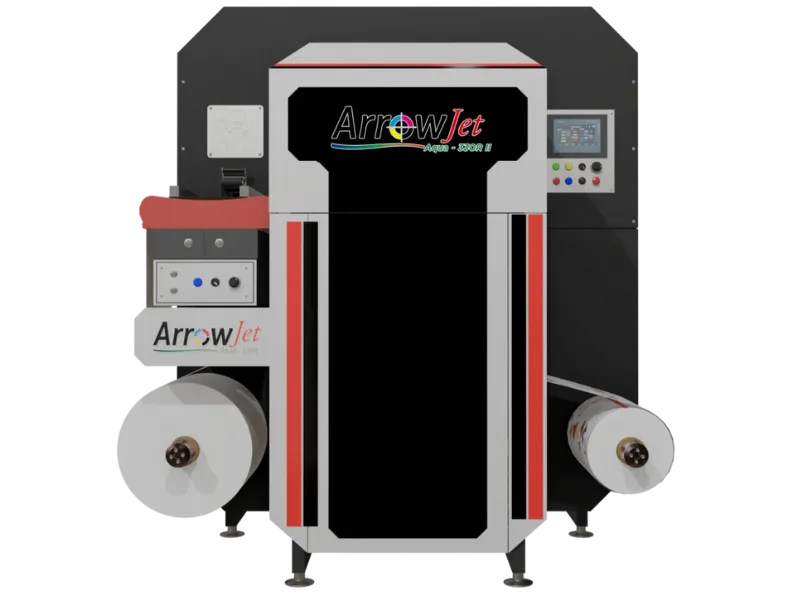
Old label printing equipment usually causes bottlenecks through long setup, plate or die tooling delays, inconsistent color setup, slow changeovers, maintenance downtime, limited variable data, and offline finishing queues. The right Arrow upgrade depends on where the bottleneck sits: ArrowJet Aqua 330R II for digital print, ANY-JET II for inline print-and-finish, or ANY-CUT III for finishing capacity.

This page is for teams trying to understand why lead times keep stretching even when the shop technically has enough press time on paper.

ArrowJet Aqua 330R II
Common Sources of Label Production Bottlenecks

Common Sources of Label Production Bottlenecks

A bottleneck can sit before the press, on the press, after the press, or inside the data workflow. The best upgrade starts with locating the constraint.

Aging Mechanics

Older equipment can lose time to maintenance, inconsistent setup, operator workarounds, and slower recovery after issues.

Tooling Dependencies

Plates and physical dies create wait time when artwork or shapes change often.

Color Rework

Uncontrolled materials, settings, and color targets can turn small jobs into repeat adjustment cycles.

Data Limitations

Barcodes, QR codes, serialization, lot codes, and many SKUs expose gaps in older workflows.

Arrow Fits by Bottleneck Type

Arrow Fits by Bottleneck Type

Do not replace equipment blindly. Match the new system to the part of the process that is actually slowing orders.

View Equipment
Print Bottleneck Fit

ArrowJet Aqua 330R II

A production digital label printer for shops where plates, setup, SKU changes, or short-run print queues are the main issue.
  • Digital print workflow
  • Short-to-medium runs
  • Fast artwork changes
View Page
Inline Workflow Fit

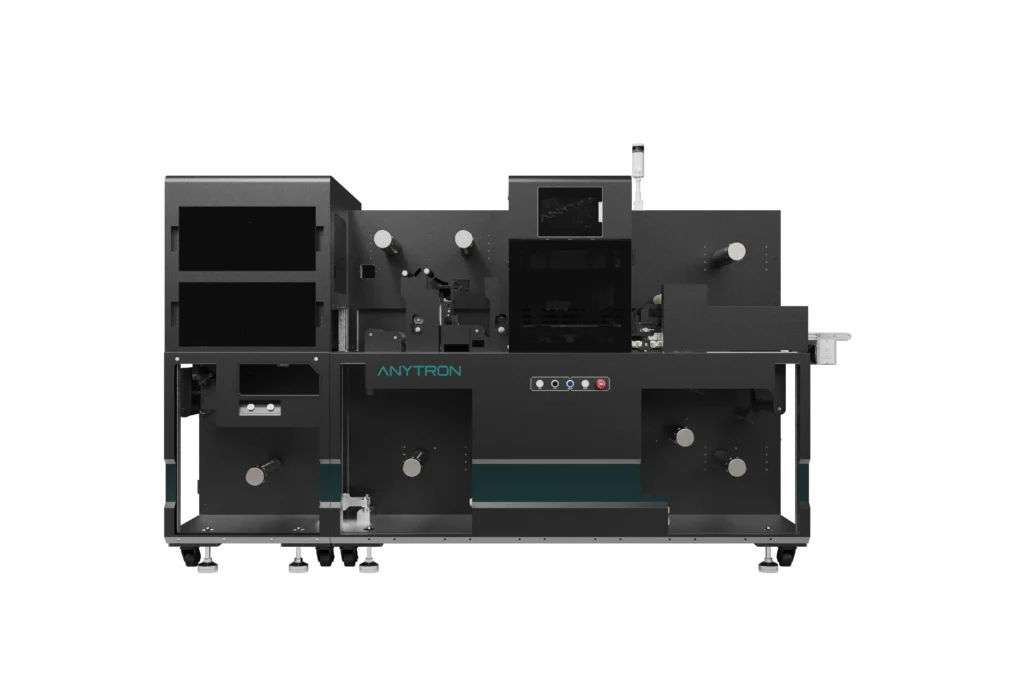
ANY-JET II

A print-and-finish system for teams that want to reduce handoffs between printing, lamination, cutting, matrix removal, and slitting.
  • Inline production
  • Fewer handoffs
  • Finished rolls
View Page
Finishing Bottleneck Fit

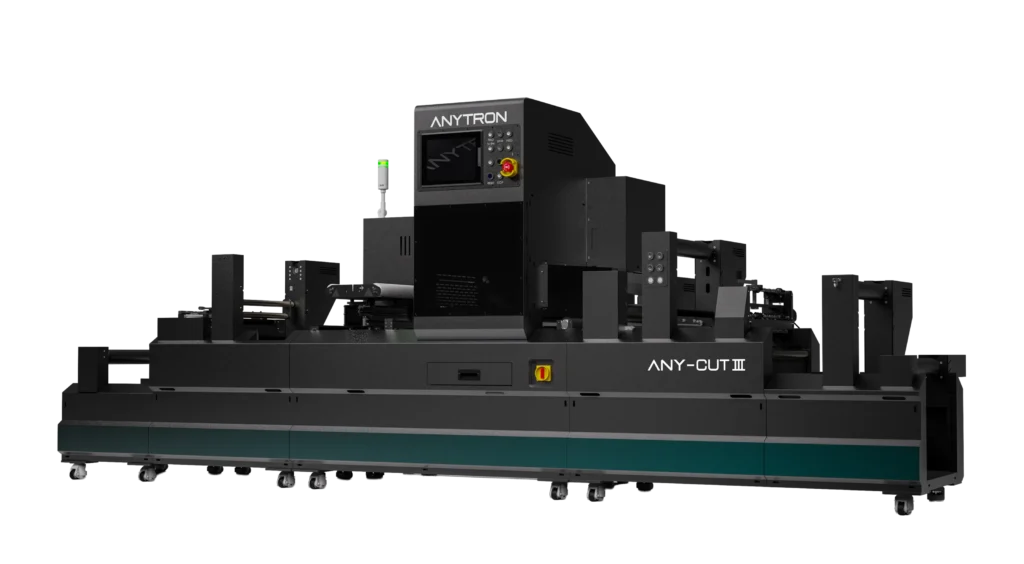
ANY-CUT III

A production laser finisher for shops where labels are printed but wait on die cutting, lamination, matrix removal, slitting, or rewinding.

  • Laser finishing
  • No physical dies
  • Higher finishing capacity
View Page
Find the Actual Constraint

Find the Actual Constraint

Bottleneck pages should lead buyers to diagnose before buying. The wrong upgrade can leave the real constraint untouched.

Bottleneck Symptom Likely Cause Arrow Direction
Jobs wait before printing Plate setup, prepress, or old press changeovers ArrowJet Aqua 330R II
Printed rolls wait after press Finishing capacity or physical die delays ANY-CUT III or ANY-JET II
Short jobs lose money Setup time and waste exceed run value Digital short-run workflow
Variable data slows production Data prep and inspection are not built into the process Variable-data capable digital workflow
Operators fight repeat jobs Settings, materials, and color targets are not standardized Process audit plus equipment review
Bottleneck Audit Steps

Bottleneck Audit Steps

A simple production audit usually reveals whether the answer is a printer, a finisher, or a better process.

1

Track where each delayed job waits: prepress, press setup, print, finishing, inspection, or shipping.

2

Record setup time, waste, maintenance stops, color adjustments, and finishing queue time.

3

Separate old-equipment issues from training, material, file, and scheduling issues.

4

Choose the Arrow system that removes the highest-cost constraint first.

Buyer Questions FAQ

Buyer Questions

What causes bottlenecks when using old label printing equipment?

Common bottlenecks include long setup, plate or die tooling delays, slow changeovers, inconsistent color setup, maintenance downtime, limited variable data support, and finishing queues after printing.

How do you know whether the printer is the bottleneck?

Track where jobs wait. If delays come from press setup, artwork changes, plates, short-run queues, or repeated print adjustments, the print workflow is likely the bottleneck.

What if labels print quickly but still ship late?

Then finishing may be the constraint. Cutting, lamination, matrix removal, slitting, inspection, or rewinding can create delays after the press.

Can digital equipment fix bottlenecks caused by many SKUs?

Digital can help because it handles artwork changes, short runs, variable data, and repeat reorders without plate setup, but the data and finishing workflow must also be organized.

Should old equipment always be replaced?

Not automatically. First identify the constraint, then decide whether the best fix is a digital printer, a finishing system, inline automation, material standardization, or process cleanup.

Talk to Arrow

Next Step

Find the Real Bottleneck First, Then Upgrade the Part of the Label Workflow That Is Holding Orders Back.

Share the application, substrate, run length, finishing needs, and growth goal. Arrow can help narrow the right equipment fit.
