
How Can Supplement Manufacturers Print Short-Run Labels Across Multiple SKUs?
The short answer
Supplement manufacturers can print short-run labels across multiple SKUs by combining a digital roll-label press with approved artwork templates, a controlled SKU/revision library, qualified materials, and a defined finishing process. Group compatible jobs on the same stock, print only approved quantities, and reconcile each finished roll to the correct SKU. Compare the full cost per usable label—not ink cost alone—before bringing work in-house.
For vitamin, nutraceutical, wellness, and private-label manufacturers managing frequent product variants, small batches, or customer-specific label versions.
Equipment to evaluate
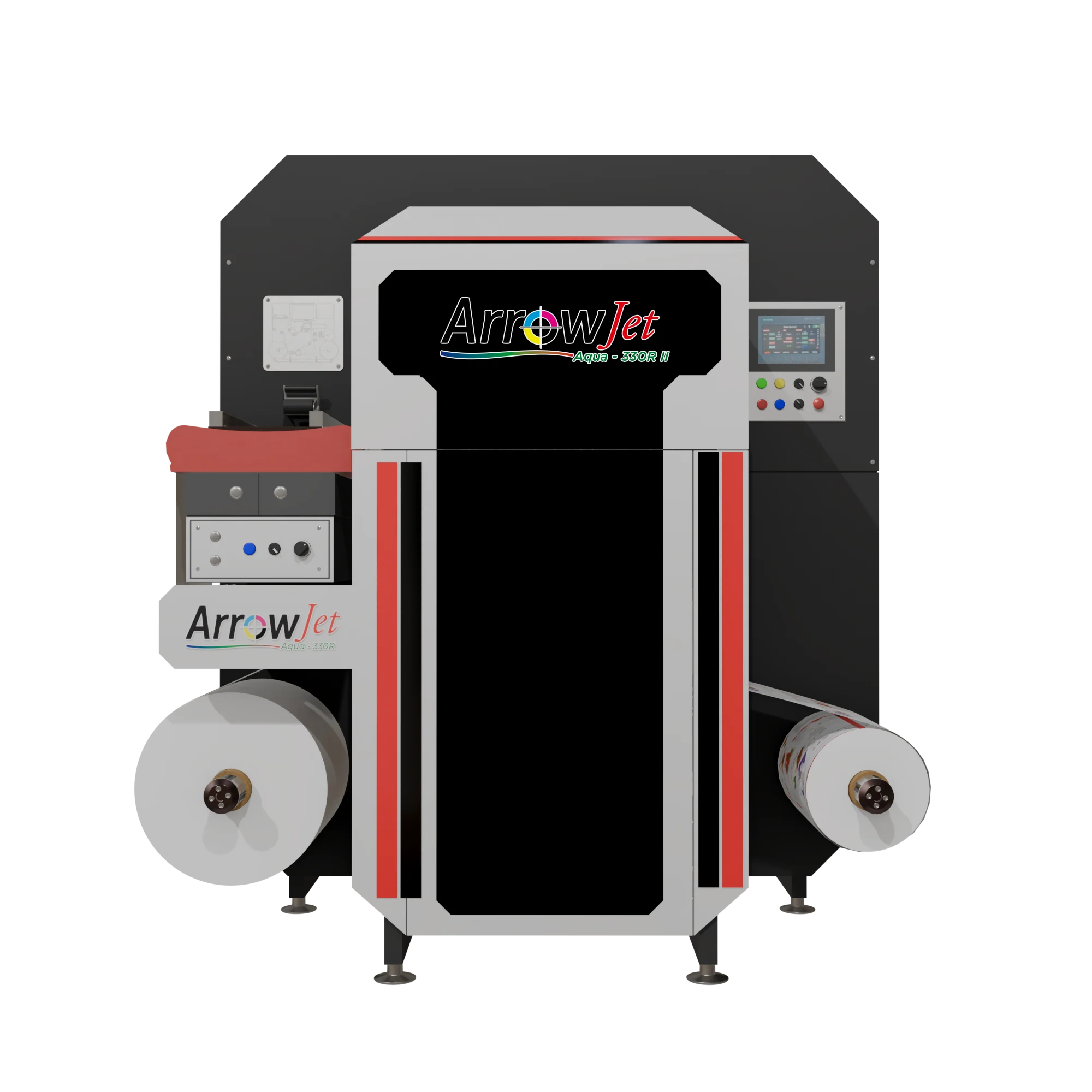
ArrowJet Aqua 330R II
Confirm fit with your actual artwork, materials, and finishing requirements.
Buying criteria
What Multi-SKU Supplement Production Needs
One approved version per SKU
Maintain separate approved files for formula, strength, pack size, language, and private-label customer. A shared design template should not allow an operator to select the wrong Facts panel.
Readable content at finished size
Test small text, panel layout, barcodes, and graphics at the actual label dimensions. Review the finished label—not only the artwork at enlarged screen scale.
Qualified bottle and label pairing
Match face stock and adhesive to bottle material, curvature, application method, and handling. Test adhesion after application and under expected moisture or abrasion exposure.
Efficient changeovers and roll handling
Define stock changes, job sequencing, die cutting, slitting, rewind direction, and line clearance. Printing faster does not solve a finishing or application bottleneck.
Recommended directions
Arrow Equipment Options to Compare
Production roll-label printing
ArrowJet Aqua 330R II
Evaluate the ArrowJet Aqua 330R II for digital roll-label production with changing artwork and short-to-medium job lengths. Confirm the material and workflow on your actual SKUs.
Compare an entry industrial setup
ArrowJet Eco 330R
Compare the ArrowJet Eco 330R when scoping a first industrial in-house label workflow. Choose against actual output needs, staffing, finishing, and cost—not a model name alone.
Include the finishing stage
Digital Label Finishing
Plan finishing to deliver labels in the roll format your applicator requires. Evaluate the complete print-and-finish process, including waste and operator handling.
Decision table
Choose the Workflow Around SKU Complexity
| Your requirement | Direction to evaluate | What to confirm |
|---|---|---|
| Many versions on the same label stock | Group compatible digital jobs | Reduce avoidable material changes while preserving SKU and revision controls. |
| New formulas or frequent artwork updates | Print approved batches on demand | Reduce exposure to obsolete preprinted inventory; savings depend on actual demand and waste. |
| Multiple bottle sizes or label shapes | Plan converting before press selection | Different widths, shapes and applicator needs can drive finishing complexity. |
| Stable high-volume repeat SKU | Compare outsourced and in-house totals | A hybrid sourcing plan may be preferable to bringing every job in-house. |
Workflow notes
From Approved Artwork to the Correct Bottle
- Build the SKU and revision register. Record product identity, size, customer, approved file, revision, stock, and roll/application requirements. Keep superseded files out of the production queue.
- Approve content before release. Use a review gate for label content, Facts panels, ingredients, claims, and any variable fields. FDA’s supplement labeling guide is a content reference, not a substitute for your approval process.
- Sequence and print a representative mix. Test a real day of several SKUs, including changeovers. Check readability, color expectations, usable output, and how long the operator spends preparing and handling jobs.
- Finish, reconcile, and release. Verify SKU, revision, label quantity, and roll direction before application. Compare cost per usable label including material, ink, finishing, labor, maintenance, and waste.
Related Guides and Sources
Buyer questions
Frequently Asked Questions
How is this different from choosing a supplement label printer?
Printer selection is one part of the decision. Multi-SKU production also needs version control, job sequencing, material qualification, finishing, and a release process that keeps labels matched to the right bottle.
Does digital printing remove minimum order quantities?
It can make smaller batches practical, but the economical run size depends on setup time, stock, waste, finishing, and staffing. Request a quote based on your actual mix of jobs.
Can one approved template serve several SKUs?
A template can provide a consistent layout, but each product version still needs approved content and clear identification. Lock critical fields and retain a controlled approval record.
Should we move every label in-house?
Not automatically. Compare frequent-change short runs separately from stable, long-run work. A hybrid plan can retain outsourced jobs where they remain a better fit.
What should a sample test include?
Include several real SKUs, your smallest text, bottle and label materials, barcode artwork, roll requirements, and realistic order quantities. Evaluate finished labels and the workflow time, not just a print sample.
Next step
Build a Multi-SKU Supplement Label Plan
Send a small set of representative SKUs, bottle materials, label sizes, typical batch quantities, and finishing needs. Arrow can help compare a practical in-house workflow.
Discuss Your Application with Arrow